

Polarr is the only photo editor you need. It doesn’t matter if you’re new to photography or a pro, Polarr has it all. Novices will appreciate that Polarr offers advanced auto-enhance tools and sophisticated filters to edit all the details of your photo. Pro photographers will look forward to our layer support, curve tools, local adjustments and so much more.
- Features
- Screenshots
- Whats new?
- Custom overlay and complex blending modes
- Dual lens effects and depth adjustments
- Complete set of masking and local adjustment tools
- An advanced suite of face-editing tools with smart detection
- Create, customize and share your own filters
- Batch exporting
- Photos extension
Filters
- Make and share your own custom Filters
- Get started with basic filters, grow with pro filters
- Sync filters between all of your devices
- Layers and blending modes
- Superimpose photos with 10 and more blending modes
- Add photorealistic effects like clouds, weather effects, light leaks, flares, and more
- Duotone your photos with our preset or create your own unique flavor
Local adjustments include
- Depth mask: Adjust photo based on depth using the dual camera
- Brush mask: Draw your mask with an advanced edge-aware brush
- Color mask: Selective adjustment with color
- Radial mask: Circular adjustment over your photo
- Gradient mask: Adjusting the photo over a gradient
- Luminance mask: Selective adjustment based on brightness.
- Additional local tools: Lens blur, feathering, invert, and more
- Blend any local adjustment mask with an overlay
- Unlimited stacking of local adjustments.
Global adjustments include
- Intelligent auto-enhance for exposure and white balance
- Color: Temperature, Tint, Vibrance, Saturation
- Light: Dehaze, Exposure, Brightness, Contrast, Highlights, Shadows, Whites, Blacks, Diffuse
- Detail: Clarity, Sharpen, Denoise (Color and Luminance)
- Vignette: Amount, Highlights, Roundness
- Lens: 8-point perspective distortion tool, horizontal, and vertical perspective
- Effect: Custom fringing, Pixelate, Noise amount, and size
- HSL: Hue, Saturation, Luminance for eight color channels
- Curves: Master, blue, red, green channels
- Toning: Highlight and shadow tone, Tone balancing
- Denoise: Focus, enhancement, and clarity
- LUT: Import and export 3D Lut
- Border tool: add a border that auto-suggests colors based on the content of your photo
Polarr is customizable
- Select from dark or white color themes or create and share your own
- Two workspaces available: Pro and Express
- Rearrange icons to make the app yours
This version is for Mac OS only and requires a one-time payment when you purchase the app. However, you can purchase a Polarr Pro subscription in the free version of Polarr Photo Editor to access all platforms. Cross-platform access is only granted under subscription plans.
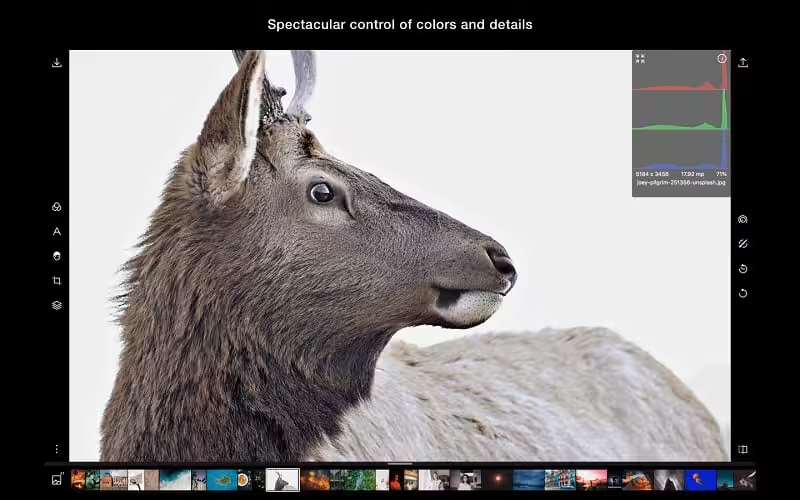

- Nothing new here! Just bug fixes and miscellaneous little improvements here and there.
- Email us, at support@polarr.co, if you find any new bugs or need help with anything!


can you post new link ?
Thanks a lot
It works well now. Thanks
I have a Polarr photo editor version 5.10.21 on a 2015 imac.. I just purchased
A new macbook pro and I can’t copy it from the imac. Can purchase this 5.18.8 download (which can’t be much different) to put on my mbp
Please reply. I really like Polarr but their $$ is to high
Thank you