


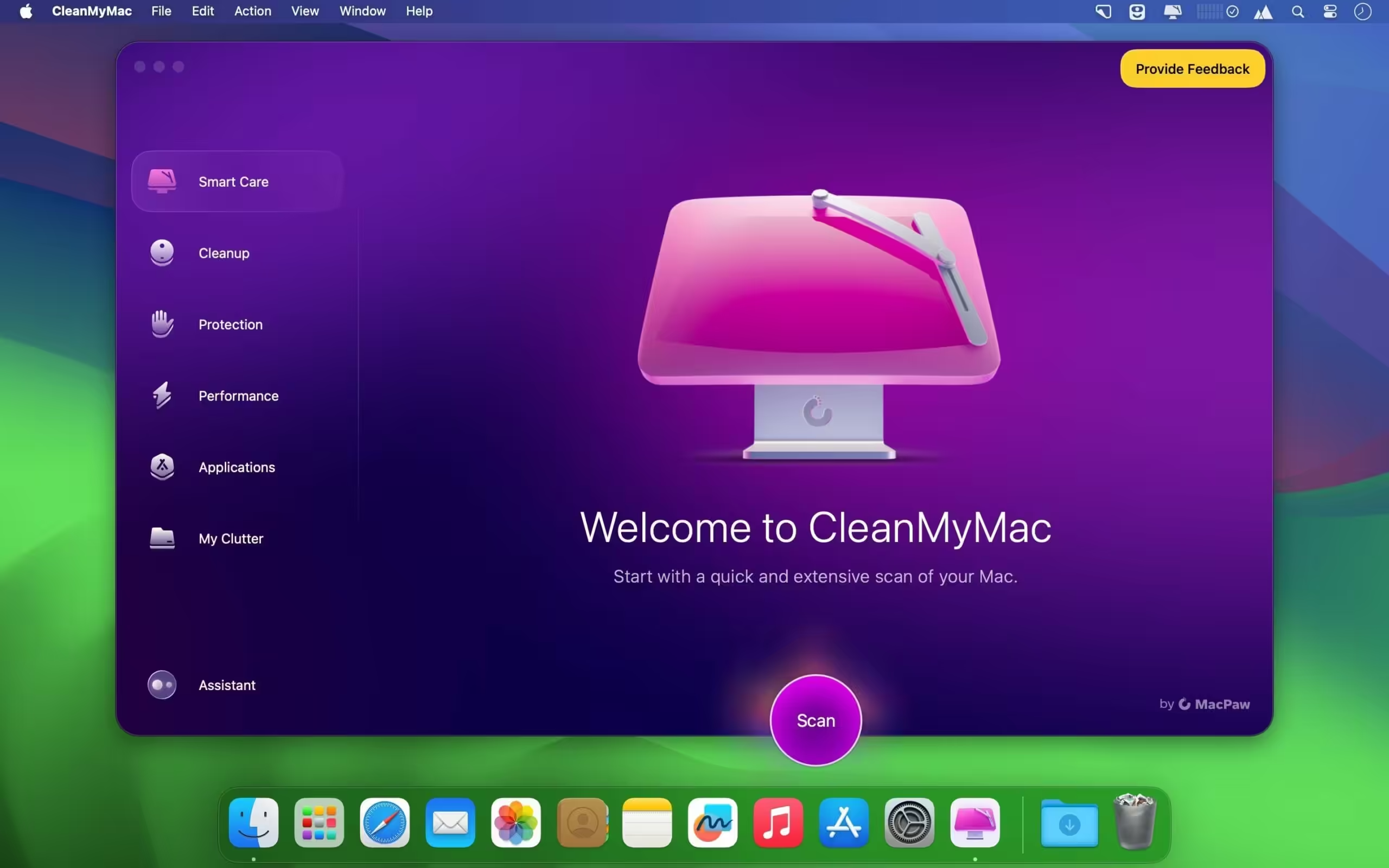
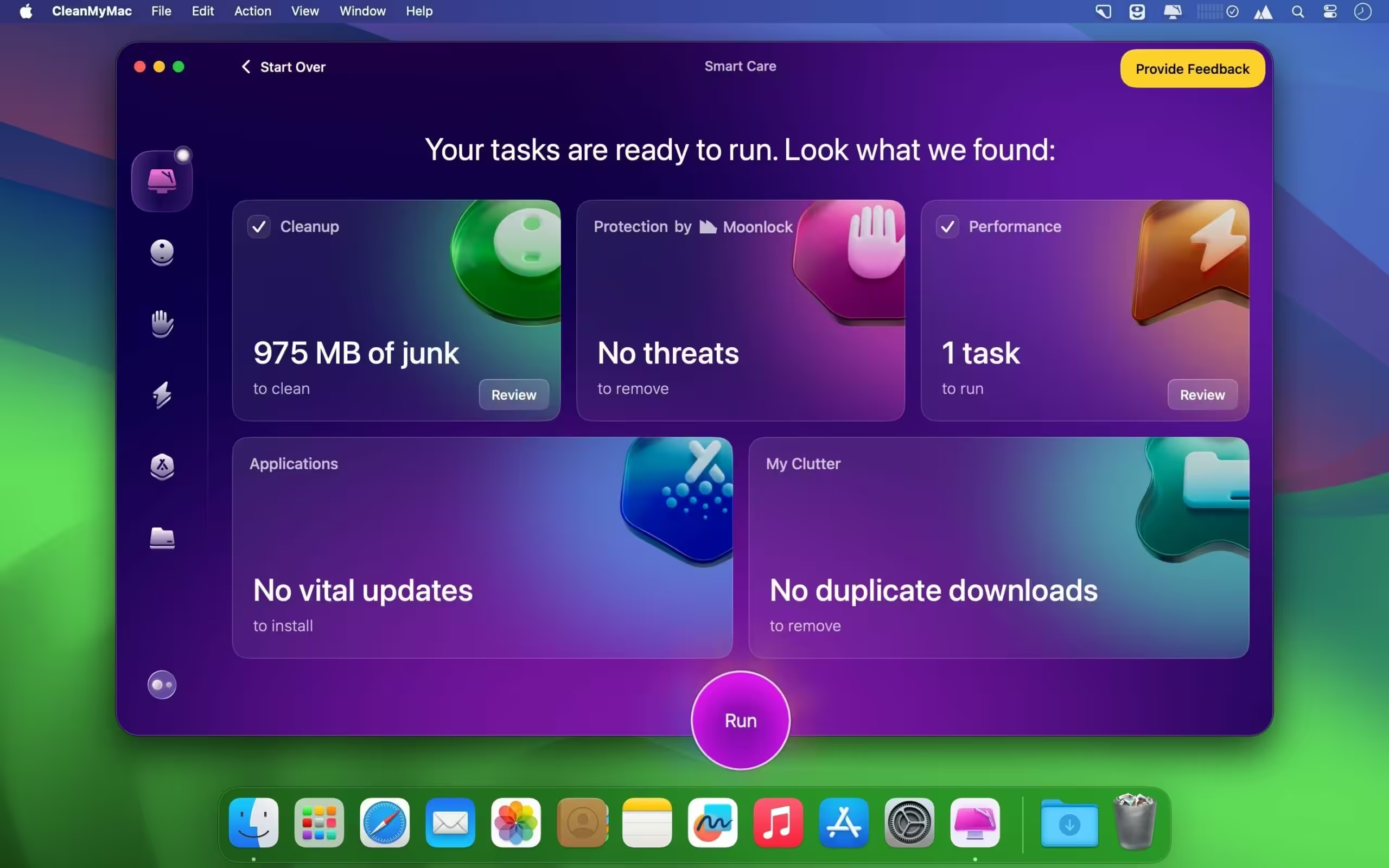
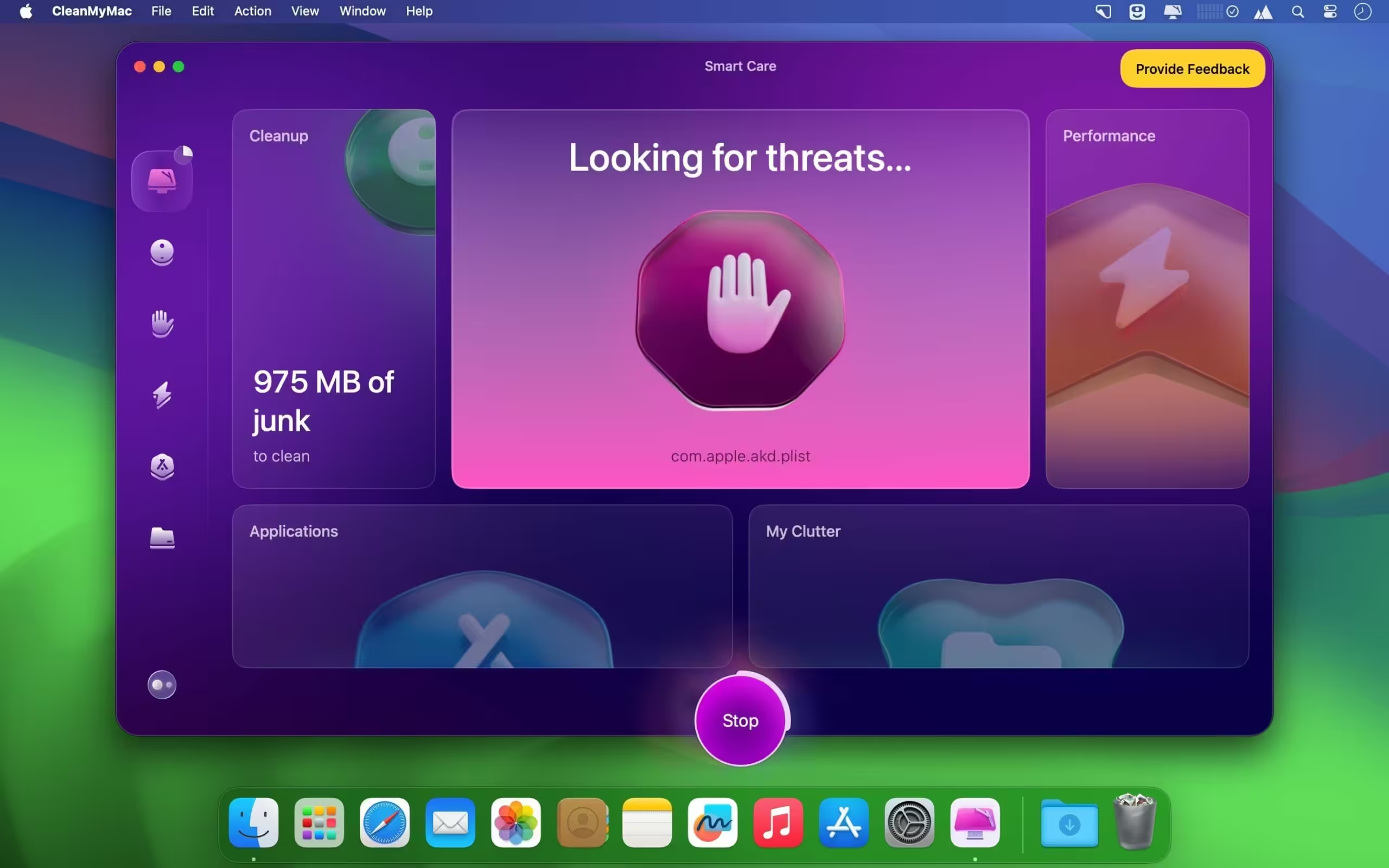
CleanMyMac is the industry-standard, luxury optimization and maintenance suite engineered specifically to keep Apple macOS hardware running at maximum velocity. Unlike cluttered utilities, CleanMyMac pairs an award-winning, fluid user interface with an array of deeply integrated engineering tools. It sweeps away gigabytes of system junk, optimizes system memory layout, neutralizes hidden malware threats, and monitors core hardware diagnostics in real time to sustain that factory-fresh Mac performance.
- Features
- Screenshots
- Whats new?
- Speed up Mac: If your Mac has been slowing down recently, you can revive the speed with optimization and maintenance tools in CleanMyMac X. Both systems and hard drives get cluttered with all kinds of trash, it’s natural for Macs. That’s why you need all the scripts and tweaks to get back the speed your Mac used to have.
- Disk cleanup: There’s hardly any fun in going through all your folders and looking for files you don’t need. With CleanMyMac X, it’s ten times easier because the app does the tedious part for you — finds and sorts the old files and digs up caches with random app junk. All you have to do is hit “Run” in the end.
- Update and uninstall apps: Mac applications are tricky when it comes to uninstallation. Moving them to the Trash doesn’t actually free your Mac from all the leftovers and associated files. CleanMyMac X Uninstaller removes unnecessary apps completely, while Updater enables you to keep needed apps up to date.
- Malware removal and privacy: Even though it’s less prone than other systems, macOS is still susceptible to viruses. The only way to keep malicious programs at bay is by giving your Mac a regular malware scan. CleanMyMac X Protection module will help you neutralize virus threats, as well as wipe your browsing data on demand.
- Get rid of large and unwanted files: Use CleanMyMac’s merciless Shredder to free up disk space, erasing unwanted files for good. The tool removes every hidden item — also those that were locked due to system errors. If you’re not sure what your storage hogs are, scan the Mac for Large & Old Files — they might be hiding there.
- Look at your storage through Space Lens: With CleanMyMac X, even the most clogged storage can be viewed in detail. Space Lens visualizes storage as a map consisting of small and large files, including hidden ones. Analyze both internal and external storage, compare the sizes of files and folders, and remove separate items.
- Moonlock security engine updated to version 1.3.0.




you are using an illegal copy – any suggestions?
For CleanMyMac 5.3.1, if prompted: ”The application “CleanMyMac” can’t be opened.”, type this in Terminal:
xattr -cr /Applications/CleanMyMac_5.app
CleanMyMac 5.3.0 Cracked for macOS is NOT cracked
Thuis version works first delete the old version with App Cleaner & Uninstaller install new version and no pop-up For pay. Works with version 5.1.0
Can you please update to version 5.1.1?
Thank you
Doesn’t work on my laptop.. it says “damaged file”
it’s normal try open terminal and type sudo “spctl –master-disable” that should work
“sudo spctl –master-disable”
i Updated Link, please download again
I get same msg
what msg you fund
v5.6.0 has been blocked by the developer. v5.5.7 still works as expected.
It keeps crashing and saying “CleanMyMac quit unexpectedly.Click Reopen to open the application again. Click Report to see more detailed information and send a report to Apple.”
CleanMyMac 5.6.0 not cracked, it asked for payment.
NO FUNCIONA!!!! POR FAVOR ELIMINAR; NO CONFUNDIR Y ARREGLAR. GRACIAS.
Still can’t install this version either.. any advise of how to install it and make it run?
Is not working with the new beta Golden Gate 27.0 beta 3 / 5.5.4 Clean My Mac
No installation prompted
just get this added: “~/Library/LaunchAgents/com.rrlkwszxxdsuxbhw.plist”
Is it just me(probably been infected with malware), or I am suppose to do something with this
CLEAN MYMAC 5.3.1 FUNZIONA PERFETTAMENTE…. GRAZIE
5.3 isn’t working
5.3.
link versione 4.15.14?
La nuova versione 5.2.1.0 Funziona perfettamente…. Graciasss
Problem “You are using an illegal copy of CleanMyMac.”
How can I resolve?
same “You are using an illegal copy of CleanMyMac.”
5.2.9 UPDATE NOW WORKING.
“You are using an illegal copy of CleanMyMac.”
5.2.9 UPDATE NOW WORKING.
5.2.8 works fine! update 5.2.9 please
the version on Theuser.cloud is still 5.2.7 please update
Not working the last version!!! App damaged when you try to start.Please, check!
Not working 5.2.7, DMG damaged!!!
Update please to Version: 5.2.7
Be carefull with the direct download, it’s a scam, they entered all my google accounts and I had all the whisltles and blows of google (Two authentication and everything).
They also entered my crypto wallet and emptied my digital assets.
5.2.5 isnt cracked properly its still asking for buying the plan. kindly fix it.
This version 5.2.5 does not work, no license, no krak !
Please help with version 4.15.9
Thankss its works
To just remove the quarantine flag, use this terminal command … xattr -d com.apple.quarantine /Applications/CleanMyMac_5.app
ma come si fa ad installare la versione completa
How do I unlock full version.
It works works works!!!!!!!!!!!!
how to install it..
523 works perfectly fine, drag and drop, replace old version, done.
its working, thanks!
Hello, some have the version 4.15.9. Those links published are down, thanks.
Hi, someone have the version 4.15.9, the links published are down. Thanks
I confirm the 5.2.1 works normally!
Just slide and replace in the Application folder, and you’re good to go!
I confirm the 5.2.1 works normally
Just slide and replace in the Application folder, and you’re good to go!
Now this version runs well!
krack
This version 5.1.1 works!
Uninstall the previous version with App Cleaner & Uninstaller Pro 8.6.1 and install the new version no pop-up For pay
Greetz
Thank you, it worked!
It was a bit hard to understand how to install App Cleaner & Uninstaller Pro 8.6.1, but it did the job to crack CleanMyMac
This version here 5,1,1 is not craked. Delete and go back to 5,0,9 all is fine.
Read my current post please this version works great 5.1.1
5.1.1 also tells me that it is an illegal copy.
telling me that it is an illegal copy
5.1 is telling me that it is an illegal copy.
The 5.1.0 version is not activated/cracked
5.1.0 is unavailable!
This version of 5.1.0 is NOT cracked – Gone back to 5.0.9
5.1.0 illegal copy, said, so don´t work
5.1.0 Copia ilegal, no funciona
5.1,0 not working only trial version no krak
Version 5.1.0 ask for activation.
5.0.9 works!
I dont know what i do wrong.
Somebody suggestions?
please add the latest version 5.1.0 please
5.0.9 is running well. Thx!
5.0.9 Works ¡¡¡ it is activated
5.0.9 Funciona, ya está activado
Leeeesss goooo
i can’t download it!
Not cracked, asks for activation
This Version is not carcked!
Version: 5.0.8 is not work
looks like non crack version
CleanMyMac 5.0.8 crack not work
5.0.8 not working this is only trial verson, we n eed a proper TNT !
5.0.8 NOT activated, take care.
5.0.8 No está activada, cuidado.
It is the Demo verison
Thx a lot
Im trynna get cleanmymacx not the new version 5 that they made, that seems to have lost alot of features
Hello, Clean My Mac 5.0.7 are ready.
Anybody have the link to download?? Thx and BR.
Did you fine?
Have you got the link?
CleanMyMac 4 Version: 4.15.12?????
Hello,
Here is the new version 5.0.6 full cracked.
Have fun!
https://usersdrive.com/m4yalnxep2mc.html
fall 🙁 acid
Thanks
Which outbound connections in Little Snitch are for license checks?
Is anyone safely and successfully getting around the error message: “Apple could not verify “CleanMyMac” is free of malware that may harm your Mac or compromise your privacy.”? If so, how?
After numerous attempts app finally worked. Upon running the very first scan and it found “Cleanmymac.app” (itself) as malware. Any idea why the app finding itself as malware????
Same issue. Yes, maybe because it’s pirated or cracked. But then again, I’m scared. I think it’s best to invest your money in paid versions of these apps.
But yeah, it works somehow!
MAYBE BECAUSE ITS PIRATED ? CRACKED??
Funciona perfectamente 21 de febrero de 2025
Cleanmymac 5.0.5 works ¡¡¡ we willl see how long, but now works
5.0.5 works on macbook pro with m3 pro.
Let´s will see how long it works….
505 downloaded and it works fine without any issue
working perfect, on sequoia 15.3.1, with no problem, no patch not any… ty
not working for me
I’ve tried to download the 5.0.4 version on Google Chrome but it blocked the download continuosly because and said the file was extremely dangerous. Then, I’ve tried on Firefox and didn´t let me get the file because it was infected with a virus or some malware. Anyone else had this problem? How can I solve it?
use any other browser , safari works well
Google Chrome doesn’t let me download the 5.0.4 version because find it extremely dangerous
I’ve tried to download the 5.0.4 version on Google Chrome but it blocked the file because it found it extremely dangerous. Then, I´ve tried to download it on Modzilla Firefox but it says the file is infected with a virus or some malware. Does anyone get the same result? How can I solve it?
hello, I tried “sensei”, terminal but it does not work
Seriously, stop randomly suggesting commands—everyone is using different versions of macOS (including beta versions), and you’re only making things worse. I checked out Sensei—cool app, but I have no idea how that could possibly help.
Here’s what you should do for any app that gives you issues—without relying on random terminal commands that assume you’re on the exact same macOS version:
1. Download a small, inexpensive (or free) app called Find Any File.
2. Before using it, try removing all the old CleanMyMac junk it installs (similar to how setup uses your MAC address—if you want details on clearing that, let me know).
3. Open Find Any File, keep everything as is, and search for “cleanmy” under “Contains”.
4. You’ll see a ton of hidden files they use to detect cracked versions. Select all of them and delete.
5. Run another scan to ensure everything is removed.
6. Now, install CleanMyMac 5.0.4. The “purchase” prompt will appear at the top right for about 10 seconds and then disappear. Problem solved.
This method works for many apps, though not all—some, like SetApp, are trickier. But that just makes it more fun to bypass.
For context, I’m an iOS, Web, and Android developer. Most of my apps are open source, but I also have paid ones. Do I care if 30% of users find ways to crack them? Lol, no. I enjoy the challenge. If I were truly concerned, I’d enforce per-user VPN-based licensing or other security measures that, honestly, I’m surprised more developers haven’t implemented.
One last tool you should know about: Little Snitch. Install it. Block all outbound connections from the app, especially license verification. It’s also useful for SaaS products like GitHub Dev Packs, which track VPN usage—Little Snitch can block that, too.
Anyway, good luck! And if you love the software and can afford it, consider buying it. Message the developer and let them know you used a cracked version but decided to purchase it—you’d be surprised (in a good way) by their response, especially with indie developers.
Just don’t throw in stupid exec() dictionary-based codes. Don’t be lame. Cheers!
apps@sailr.co
“You’ll see a ton of hidden files they use to detect cracked versions. Select all of them and delete.”
Please elaborate. I see tons of files but I don’t know how to identify which ones detect cracked versions.
Thank you very much, it worked for me
hi good day to you,
It appears that the app “cleanmymac” quit unexpectedly after I followed your instructions. Could you please tell me how to fix this? Thank you.
It worked!!!
Süper, çalışıyor. Teşekkürler.
Nice!!! It worked!!
Thank you so much, it works
Seriously, stop randomly suggesting commands—everyone is using different versions of macOS (including beta versions), and you’re only making things worse. I checked out Sensei—cool app, but I have no idea how that could possibly help.
Here’s what you should do for any app that gives you issues—without relying on random terminal commands that assume you’re on the exact same macOS version:
1. Download a small, inexpensive (or free) app called Find Any File.
2. Before using it, try removing all the old CleanMyMac junk it installs (similar to how SetApp uses your MAC address—if you want details on clearing that, let me know).
3. Open Find Any File, keep everything as is, and search for “cleanmy” under “Contains”.
4. You’ll see a ton of hidden files they use to detect cracked versions. Select all of them and delete.
5. Run another scan to ensure everything is removed.
6. Now, install CleanMyMac 5.0.4. The “purchase” prompt will appear at the top right for about 10 seconds and then disappear. Problem solved.
This method works for many apps, though not all—some, like SetApp, are trickier. But that just makes it more fun to bypass.
For context, I’m an iOS, Web, and Android developer. Most of my apps are open source, but I also have paid ones. Do I care if 30% of users find ways to crack them? Lol, no. I enjoy the challenge. If I were truly concerned, I’d enforce per-user VPN-based licensing or other security measures that, honestly, I’m surprised more developers haven’t implemented.
One last tool you should know about: Little Snitch. Install it. Block all outbound connections from the app, especially license verification. It’s also useful for SaaS products like GitHub Dev Packs, which track VPN usage—Little Snitch can block that, too.
Anyway, good luck! And if you love the software and can afford it, consider buying it. Message the developer and let them know you used a cracked version but decided to purchase it—you’d be surprised (in a good way) by their response, especially with indie developers.
Just don’t throw in stupid exec() dictionary-based codes. Don’t be lame. Cheers!
apps@sailr.co
You are using an illegal copy of CleanMyMac.
2 options…
buy or quiet …
Non puoi stare zitto, perché quando appare il pop-up o devi acquistare o devi uscire, se no non ti fa andare avanti……😡🤬
Same message for me…
same Any solution?
Did every command, tried every fix, every week (Sensei and all), and my conclusion is all you guys are full of shit. Nothing works, the app exactly the same as the one shipped by MacPaw on their website and on the Mac App Store.
Agree
same…
Working Sequioa 15.2
Ran the following in terminal:
xattr -cr /Applications/CleanMyMac_5.app && codesign –force –deep –sign – /Applications/CleanMyMac_5.app
Thanks
Can someone confirm which command removes the popup so that the comment section is overloaded with different commands?
5.04 is not working after installation plz help
it tell me “you are using a illegal copy of CleanMyMac”.
@Jaromir Petroskova
Try this command it should work:
1) xattr -cr /Applications/CleanMyMac_5.app
504fix is only DEMO, buy or quit, not working !
Has anyone successfully cracked CleanMyMac on macOS 15.2? If so, how did you do it?
For people saying its showing that you are using a cracked version:
Download an app called “Sensei” and use it to find and delete all the folders of cleanmymac application manually. Then reinstall the app and it works.
This method worked for me. No need to run complicated terminal codes or anything
This worked for me Thank you!!
Merci infiniment Bugsy !!
Tout fonctionne à nouveau. Merci encore pour ton astuce et de l’avoir partagé.
Bien à toi.
thank u very much is now working 100%
Tried yalls’ command, first of all the syntax is not good, it should look like this:
xattr -cr /Applications/CleanMyMac_5.app
export CODESIGN_ALLOCATE=”/Applications/Xcode.app/Contents/Developer/usr/bin/codesign_allocate”
codesign –force –sign – /Applications/CleanMyMac_5.app
Now when I try to start the app, it just crashes.
Tested on M2 MacBook Air running latest macOS (15.2)
Try this command it should work:
1) xattr -cr /Applications/CleanMyMac_5.app
2) export CODESIGN_ALLOCATE=”/Applications/Xcode.app/Contents/Developer/usr/bin/codesign_allocate”
codesign –force –sign – /Applications/CleanMyMac_5.app
Here is the corrected command:
“`
xattr -cr /Applications/CleanMyMac_5.app && codesign –force –deep –sign – /Applications/CleanMyMac_5.app
“`
your string doesn’t remedy the pop up issue and force quit. I tried to adjust the app name with the below command but that doesn’t work either:
xattr -cr /Applications/CleanMyMac_5.app && codesign –force –deep –sign – /Applications/CleanMyMac.app
This version 5.0.4 is working perfect on MacOS 15.1.1
great website but many links are dead and many apps impossible to run.
it could be much more fun if you add instructions to help us
thanks anyway
WHAT THE FUCK IS THE PASSWORD? HOW IS EVERYONE JUST IGNORING THAT QUESTION? KMT!
Looks like you have downloaded the wrong file there is no password. click the link multiple times and it will take you to right link
Run this to fix the popup:
xattr -cr /Applications/CleanMyMac_5.app && codesign –force –deep –sign – /Applications/CleanMyMac_5.app
WHAT IS THE PASSWORD PLEASE?
Run this command if you started getting the popup that forces you to quit
xattr -cr /Applications/CleanMyMac_5.app && codesign –force –deep –sign – /Applications/CleanMyMac_5.app
Not working
Not working, not even version 4.15.6
sry, but the version 5.04 are not cracked
Not working 504 is not kraked only demo
Now this and all other 5 versions give piracy error.
How do you fix the crack detection issue? Didn’t update it and started getting the popup a few days ago.
Did not work. Only 5.0.2 works for now. 5.03 gives error.
Won’t work.
It detect crack and pop up warning
What’s CleanMyMac_5_Updater.app doing? I guess it has to do with the crack?
Thanks
work in macOS 15.1
Type this command line in the terminal.
xattr -cr /Applications/CleanMyMac_5.app && codesign –force –deep –sign – /Applications/CleanMyMac_5.app
hi good day sir! do you have a command line for macOS 15.2?
thanks,bro! It worked!
I’m trying to crack CleanMyMac 5.0.4. Do you have the command line for macOS 15.2?
Doesn’t work on Sequoia 15.1 m1 max for me.
Works Perfect, in Mac Os 15.1 Intel core i9
working good on mac 15.2 chip m3
5.0.2 working perfectly fine.
If you see the “Unlock Full Version” after installing this version then simply click on that button, it should be solid.
Cheers
Cannot install on 10.15
can’t open DMG file
work fine and is cracked. M3 Mac OS 15.1
not cracked, it request unlocking for full version, trial needs online registration.
After reboot today, ask to be activate the software
CleanMyMac 5 not working. need to activate.
CleanMyMac 5 works fine – but not with Browser Opera – arm or intel closing and restarting self reloop – !!!
Version 5.0 on MBA M1 Sequoia : it works fine, it requests the system password one time only before executing the task.
Helper.
Please enter password for continue.
Use 5 Beta, very good, top
How did you skip the upgrade alert?
is not cracked, asks for Activation code or to buy
paste this in the terminal after installing.
function edit_SMPrivilegedExecutables() {
/usr/libexec/PlistBuddy -c “Remove :SMPrivilegedExecutables:com.macpaw.CleanMyMac4.Agent” “$1”
/usr/libexec/PlistBuddy -c “Add :SMPrivilegedExecutables:com.macpaw.CleanMyMac4.Agent string ‘identifier com.macpaw.CleanMyMac4.Agent'” “$1”
}
function CMMFoundation_framework_patch() {
xxd -p -c 0 “$1” – | \
sed “s/fd7bbfa9fd030091b3000094/200080d2c0035fd6b3000094/; \
s/554889e5e817030000/48c7c001000000c300/; ” | \
xxd -r -p -c 0 – “$1”
}
function CMAgentController_patch() {
xxd -p -c 0 “$1” – | \
sed “s/ffc30191c0035fd6ff4302d1fc6f03a9fa6704a9f85f05a9f65706a9f44f07a9fd7b08a9fd030291f90300aa/ffc30191c0035fd6000080d2c0035fd6fa6704a9f85f05a9f65706a9f44f07a9fd7b08a9fd030291f90300aa/; \
s/0094ffc301d1fa6702a9f85f03a9f65704a9f44f05a9fd7b06a9fd830191f60300aa/0094200080d2c0035fd6f85f03a9f65704a9f44f05a9fd7b06a9fd830191f60300aa/; \
s/554889e54157415641554154534883ec284989fe48897dd0/48c7c001000000c341554154534883ec284989fe48897dd0/; \
s/415f5dc3554889e54157415641554154534883ec584989fd/415f5dc348c7c000000000c341554154534883ec584989fd/; ” | \
xxd -r -p -c 0 – “$1”
}
function cmmx_agent_patch() {
xxd -p -c 0 “$1” – | \
sed “s/f40300aae0090034/f40300aa340080d2/; \
s/84c00f8483010000/84c0909090909090/; \
s/20616e6420616e63686f72206170706c652067656e6572696320616e64206365727469666963617465206c6561665b7375626a6563742e4f555d203d20225338455838324e4a503622/20202020202020202020202020202020202020202020202020202020202020202020202020202020202020202020202020202020202020202020202020202020202020202020202020/g; ” | \
xxd -r -p -c 0 – “$1”
codesign -fs – –all-architectures –timestamp=none “$1″
}
function cmmx_patch() {
local cmmx_exe_path=”$1/Contents/MacOS/CleanMyMac X”
xxd -p -c 0 “$cmmx_exe_path” – | \
sed “s/fc6fbea9fd7b01a9fd430091ff831bd1e8631191/200080d2c0035fd6fd430091ff831bd1e8631191/; \
s/554889e54881eca0060000/48c7c001000000c3060000/; ” | \
xxd -r -p -c 0 – “$cmmx_exe_path”
CMAgentController_patch “$cmmx_exe_path”
CMAgentController_patch “$1/Contents/Library/LoginItems/CleanMyMac X Menu.app/Contents/MacOS/CleanMyMac X Menu”
edit_SMPrivilegedExecutables “$1/Contents/Info.plist”
edit_SMPrivilegedExecutables “$1/Contents/Library/LoginItems/CleanMyMac X Menu.app/Contents/Info.plist”
CMMFoundation_framework_patch “$1/Contents/Library/LoginItems/CleanMyMac X HealthMonitor.app/Contents/Frameworks/CMMFoundation.framework/Versions/A/CMMFoundation”
CMMFoundation_framework_patch “$1/Contents/Library/LoginItems/CleanMyMac X Menu.app/Contents/Frameworks/CMMFoundation.framework/Versions/A/CMMFoundation”
cmmx_agent_patch “$1/Contents/Library/LaunchServices/com.macpaw.CleanMyMac4.Agent”
cmmx_agent_patch “$1/Contents/Library/LoginItems/CleanMyMac X Menu.app/Contents/Library/LaunchServices/com.macpaw.CleanMyMac4.Agent”
codesign -fs – –all-architectures –deep –timestamp=none “$1” && xattr -cr “$1”
}; cmmx_patch “/Applications/CleanMyMac X.app”
how to activate this
Use 4.15.6.
Not cracked
4.15.8 is not activated. M2 (sonoma)
4.15 Password Loop makes the app useless it can’t perform a single task anymore.
Version 5 beta works pretty fine, no problem, great.
Hola como dice Gato Gordo, sin problemas, cojonudo
Everything working correctly after using terminal.
Version: 4.15.6 Fix Updated | Size: 117.4 MB
Just one question, does allowing app connections not affect the crack?
work with terminal activation ! Be sure you have terminal full disk access !
Latest 14.15.6 fully worked by using terminal with the given command. mac os intel monterey
not working crack does not work
Version 4.15.6 work fine
TY works fine
Nor work properly with UPDATE version with terminal COMMANDS…
Exit the app fully then open the Readme.txt that comes with the package. Copy from the first function (function edit_SMPrivilegedExecutables() {…..) all the way down to the end of the text. Paste it into terminal and press enter. That should patch it. Relaunch the app and enjoy!
Without the password ?
It does work now!
It‘s not cracked!
Version 4.15.6 is not cracked. It’s trial one.
Not working properly the crack!!
Version: 4.15.6 not cracked
Version 4.15.6 is not cracked…
Version 4.15.4 is working fine perfect. M1
Version 4.15.6 is demo asking for activation !
MacBook Pro, Intel, Sonoma 14.6.1 (23G93), ho scaricato il file ma non è caricato.
this versio is nnot cracked
CleanMyMac X 4.15.6 NOT CRACKED, need a serial
cleanmymac 4.15.6 NOT CRACKED, take care ¡¡¡
My legal purchased copy of Clean My Mac keeps asking for password to “install helper tool”. I just click cancel and it seems to still work.
checking to see if it works now
hou het een beetje deftig op deze site met zulke stupide bemerkingen. don’t give your name away, retarded man!
Version 4.15.4, runs perfectly on Macbook 2020, Sonoma 14.5
“CleanMyMac X” cannot be opened because it is from an unidentified developer.
Your latest app update is so needy—it keeps begging for my password to install its helper tool!
Can we please revert to the previous version until this is fixed?
Now works, on macbook pro M3, with Sonoma 14.4.1
doesn’t work. my mac m1 says that apple cannot verify this application. check with the developer of this app.
only this app shows this error… no other app downloaded from haxmac shows this kind of error.
Work Mac Air M2 Sonoma
did not work properly, keep asking password to install helper tool
anyone a solution? thanks.
Keep asking for password to install helper; works not fully; anyone a solution? TIA.
just let it install or it wont work
This version doesnt work in mine, is asking me for permission unlimited times and it doesnt runs well.
After installing, I have to key in my password like a thousand times to install the helper (which didn’t install cos I got tired keying in my password)
The exact same thing happens to me, the previous version was working better.
Since today Safari and Chrome browser blocking this website !
Can I do something to unblock ?
We are working to unblock, soon everything work fine.
Thank you for your support.
Works on Apple M3 | Sonoma 14.1
It’s the Full Version! No Crack Needed! Just Grant Full Access to your Mac
Cheers!
Thanks!
M3 Sonoma: work perfectly 4.15.2
M1 Sonoma: now it works perfectly fine 4 15 2
The new version 4.15.2 her is not cracked! 7 Days free Periode!
It works perfectly but I cant enable the Cleanmymac X menu, I’ve uninstalled and installed the app again and still nothing. Anyone have an idea of how to fix this bug
Works perfectly on Mac OS v. 10.15.7 Intel processor
podrás pasarme el archivo por favor? ya no se puede descargar de aquí. gracias!
a funcionar em pleno IMAC 27 late 2014 com o SOMONA 14.3.1
totally fraud
Any solution?
make that 14.3.1…..fat fingers
Does not work on sonoma 14.4.1 Bummer…save your time and don’t bother
can’t work, you need to disable sip
can’t work
Run this on terminal:
xattr -cr /Applications/”CleanMyMac X.app” && codesign –force –deep –sign – /Applications/”CleanMyMac X.app”
Make sure Xcode is already installed and terminal has full disk access.
do not work on m3 pro, SONOMA.
doesn’t work Mac OS Sonoma
Not working on Ventura, previous version was running ok.
Si confermo non funziona su Imac 24 M1
doesn’t open on Sonoma
Yep, same here
doesn’t open on Ventura
App terminates on boot.
Termination Reason: Namespace DYLD, Code 1 Library missing
Any idea how to fix this?
I had this on my mac for a while but took it off because it drove nuts bothering me all the time.
dont work for me on Sonoma M1 – try to open it on terminal, make some code’line and then i obtain an error message ! Anyone have a solution ?
Damnnnnn 09/02/24, its actually woking on mac os sonoma! 14.4.6
the link doesn’t work
Weird. Doesn’t work with me
I write the password, terminal is opening, I set %open and nothing…
Someone have an idea?
Regards
whats the password?
bro did u get the password? where is FUCKING PASSWORD
works in Sonoma Os
it require my keychain….
yes me to
i cant dwnlod
Funciona muchismas gracias enserio, son este tipo de paginas las que debemos dejar nuestro like y comentario, feliz dia. actualizado a la ultima version macos sonoma 14.3
It says:
“Cannot open “CleanMyMac
Because Apple can’t check for malware.”
Open settings and then open Privacy and Security and then scroll down until you see Software x.y.z was blocked from loading and click allow
do open the app before going in to settings.
super merci beaucoup, marche sur Ventura 13.6
is that work?
Works on Chip M1 whit Sonoma OS
funciona papa no lo puedo ceer gracias gracias gracias
Workedddd on sonoma!!!!!!!
Thanks it’s perfect
Hey, when is 4.14.4 being updated?
Works perfectly in MacOS Sonoma
THANKS!!!!!
Probado en M1 con Os Sonoma y trabaja bien, solo que a veces me dice que no puede borrar por falta de permisos ya le di todos los permisos pero aun asi aparece eso
que version has descargado? con que enlace? después de descargarlo me dice que La app CleanMyMac X no se puede abrir porque Apple no puede comprobar si hay software malicioso. Debes actualizar este software. Ponte en contacto con el desarrollador para obtener más información.
4.14.4 already cracked
Muchas gracias, instale en mi mac M1 y anda de maravilla, muchas gracias!
muchas gracias funciona al 100%
cual de los 2 te has descargado?Version: 4.14.1 este?
y de que forma?
Send.cm?
Userscloud?
Usersdrive?
Funcionando al 100% en Mac mini M1… doy de todo perfecto
CleanMyMac X Tested – working fine on my macbook pro 16 Intel chip. Thanks a million. My earlier version was stop working since I had updated to Sonoma IOS.
download button ??????
Is this version working good on Macs?
4.14.3 Tested, Works fine on Sonoma (!4.0).
Mine is not working, tried on m1 mac with Sonoma
working smoth in somona 4.14.3
I am using macOS Sonoma but it’s asking me a login keychain. any help?
QUE VERSION FUNCIONA CON SONOMA?
very very thank you
Nickel merci. Ca marche super bien sur mon Mac (Sonoma 14.0)😉
Thanks a lot !! 4.14.2 works on Mac Sonoma.
4.14.2 working great on Mac OS Monterey. TY!
I take it back. Its now started to have continuous pop ups asking for permissions. Permissions have already been granted. Unusable. Had to trash it.
funcionó sin problema, pero alguien sabe si es actualizable?
4.14.1 and 4.14.1 not working
GENIAL!!! Funcionando perfecto! gracias!
4.14.2 & 4.14.1
are not working when you move them to application folder the computer doesn’t allow to open the file
Hahaha mijo that happens with all the programs on the web, press the control key and then click on the app and then open and with that it is like opening with administrator permissions here on Mac
Ctrl key helped me, tnx
lol man!
omg 😀
4.14.2 is working now!
What is AppleApp.dmg on this web (download button)?
yes work
4.14.1 Works like a charm!
please will you test version 4.14.2 not working for me
If you problem with 4.14.2 You should try 4.14.1 it’s tested.
CleanMyMac X 4.14.2 doesn’t work.
Version: 4.14.2 is working flawlessly! Keep up the good work! Muchos gracias!!!
Al fin Funciona!!! Gracias!!
at last it worked.. Ye Heeey..
Is the activation info Blank?
🙂
Thanks, database update fix 👍
👍
YOO BRO! FINALLY IT WORKED( TESTED)
PLEASE, upload totalav cracked for mac also
Why saying it is cracked when it is not true!
Why update an app if its not cracked.
4.13.4 works perfectly fine M1 Mac Ventura
Hi, wie kann es bei laufen. Nach der Installation und dem ersten Systemscan werde ich aufgefordert ein Passwort einzugeben, ich gebe mein Anmeldepasswort ein, welches gelehnt wird. Somit installiert sich das benötigte Hilfsprogramm nicht und alle Scripts etc. werden nicht ausgeführt.
Deswegen wundere ich mich das es bei dir läuft. Kann man etwas falsch machen?
Gruß
Novalis
CleanMyMac X Tested
Tested and approved, congratulations
This CleanMyMac X 4.14.0: Not CRACKED yet, asks for activation. It’s a TRIAL version.
How is it solved?
no good
Version: 4.14.0 doesn’t work. Still asking to unlock. SIP already disable. So not sure what went wrong.
4.14.0 not cracked, asking for activation
No Crack
This CleanMyMac X 4.14.0: Not CRACKED yet, asks for activation. It’s a TRIAL version.
no good you have to register
https://www.fshare.vn/file/XM4ECBA7TAN7 this version is working 4.13.4
can you put this on an English site so I an figure out how to download this version please:)
What is the code for download?
Yes this link is working well on my MacBook Pro this is really working very well… with NO hassle at all thanks very much for sharing its been awhile…. kudos!…great!
ur software is turning into garbage lately!
Version 4.13.6 is NOT working, asking for activation
Version 4.13.6 is NOT working, software is NOT cracked, serial NOT provided.
Software is not cracked bruv
cleanmymac 4.13.4 doesn’t work because the software is not cracked
Version 1.14.3 is just a trial version. I installed it and had to remove it and get the old 1.10 back from my Time Machine backup of my applications folder.
rutracker is still the broken version. Struggling to find the working one.
working version is on rutracker from iamdumb
CleanMyMac X 4.13.4 fix
CleanMyMac X v4.13.4 [iamdumb] v2 Changes:
– No more helper password re-prompt every launch
Upgrade instructions:
Remove Full Disk Access to all CMM instances before replacing and running
They have a fix, aka 4.13.4 v2 posted on another site, on May 11 2023. Please update haxmac.
where to find it, please help
@Pustugespo would be great if you create a video. I will support you
Unlock (almost) all CleanMyMac X’s features for free!
Updated to version 4.13.2 (App Store) – Intel Chip
Apple Silicon is not supported.
How to use
————-
Open a terminal window and navigate to the directory where you want to clone the repository.
Type git clone https://github.com/davidepedrazzi/CleanMyMacX.git and press enter to download the repository to your computer.
Type cd CleanMyMacX and press enter to navigate to the CleanMyMacX directory.
Type chmod u+x patch.py and press enter to make the patch.py file executable.
Type sudo ./patch.py or sudo python3 ./patch.py and press enter to run the tool.
Expected output:
$ sudo ./patch.py
Patching /Applications/CleanMyMac-MAS.app/Contents/MacOS/CleanMyMac-MAS…
Patching /Applications/CleanMyMac-MAS.app/Contents/Library/LoginItems/CleanMyMac-MAS Menu.app/Contents/MacOS/CleanMyMac-MAS Menu…
Re-signing /Applications/CleanMyMac-MAS.app…
/Applications/CleanMyMac-MAS.app: replacing existing signature
/Applications/CleanMyMac-MAS.app: valid on disk
/Applications/CleanMyMac-MAS.app: satisfies its Designated Requirement
If at any point you get the error “xcrun: error: invalid active developer path (/Library/Developer/CommandLineTools), missing xcrun at: /Library/Developer/CommandLineTools/usr/bin/xcrun”, just install CommandLineTools by typing in the Terminal:
xcode-select –install
Enjoy!
This is just the trial version….
4.13.4 working but need license
4.13.2 not working.
4.13.2 crashs every time, not working.
Version 4.13.2 doesn’t work, waiting for a version that works, it’s difficult.
Can’t download, this is trial
this the trail version bruh
solo esta activa con el parche la version 4.6.10
trabajando de maravilla
you can upload the .dmg or .zip to drive?
yes im need also
It’s not cracked version
10/10 not cracked LOL
Can you kindly upload a working app. This one is not working. Thank you
It’s not cracked version. Bad info “CleanMyMac X 4.12.4 Cracked for macOS”
Will Be Great CleanMyMac v4.12.6 Full Version Patched Activated Dummie Profile Update-able Database Weigth 500-600 Full Download…?
Have Seen Different Sizes App Everytime I Unistalled Version 4.12.3 or 4.12.5 Not Full Activated Errors…Seems Is A Halfway Process Once Activated…Get The Rest Functions…From A Server…Station That Sucks!…Only Work With SIP Disable…Not Worth The Risk…Better Wait For CleanMyMac 4.12.6 Full Activation Dummie Process…Whatever Called.
Is not activated.
I am running it on macOS Catalina.
This post is not cracked.
Please report a cracked version 4.12.x
its not cracked version… its asking key to activate full version
Not working
Version CleanMyMac 4.12.3…Need SIP (System Integrity Protection) Disable To Perform….From Recovery Mode Press Cmd + R On Black Screen While Is Booting Release When Logo Mac Appears…Select Utilities…Terminal Type Command “csrutil disable” restart only way works that program…runs more smooth it’s a shame can’t get to pass verification…clean…but run so many backdoor checks…Analytics Supposedly Data For Too Many Sites Some How Get A Way Out To Look To Check Signatures Core Proccesing…Sent Back To Deactivated…SIP Disable Only Way To Remain Activated…Recommend By A Russian Team That Patched The Activated Version…Risking Rising Levels Of Security…I Am Assuming Got To Be With The Fix On Memmory Ram Crazy Use Same As Cores Proccesing…Keep Insisting Persistent Alerts Update To Latest Version On MacOS Ventura 13+….Got Ukrainian Flag Logo On TaskBar Icon Now…Got Some Inside Code Rechecker That Needs To Be Shut It Off SomeHow…A Lot Requesting Procceses On Back To Verify That Authenticate Certification Or How Is Called Signatures.
But Need To Be Everything Done From Recovery Mode.
Version CleanMyMac X 4.12.5 Is Out Recommends Updating To Latest Version…Obviously Something Is Wrong With Compatibility On MacOS Ventura 13+ M1 Macs.
Unfortunately no crack version.
CleanMyMac must unfortunately be activated
Doesn’t work. Crashes On Open Comments Below Didn’t Help…
Thanks Admin! Taking this opportunity, I would like to ask if you could put the new version of Tuxera 2022/2023, I would be very grateful. Thanks!
was able to run on a macbook M1 – without disabling SIP.
1. I download the official application.
I launch and give access.
2. Further in the menu at the top: action – log in. and install helper with this puncture.
3. install the crack. but it won’t start. need to sign the application and some libraries.
sudo codesign –force –deep –sign – /Applications/CleanMyMac\ X.app
so we sign the application itself.
4. Go inside the application. Applications – Cleanmymac x – right click : show package contents – Contents – MacOS – launch CleanMyMac X.
It will show which paths are not signed. I had this:
MAKE SURE YOUR DEFAULT TERMINAL IS iTerm 2 NOT THE INBUILT ONE
sudo codesign –force –deep –sign – /Applications/CleanMyMac\ X.app/Contents/Library/LoginItems/CleanMyMac\ X\ Menu.app/Contents/Frameworks/Sparkle.framework/Versions/A/Resources/. MacPawAccount.dylib
sudo codesign –force –deep –sign – /Applications/CleanMyMac\ X.app/Contents/Frameworks/Sparkle.framework/Versions/A/Resources/.MacPawAccount.dylib
sudo codesign –force –deep –sign – /Applications/CleanMyMac\ X.app/Contents/Frameworks/MacPawAccount.framework/Versions/A/Resources/.MacPawAccount.dylib
sudo codesign –force –deep –sign – /Applications/CleanMyMac\ X. app/Contents/Frameworks/MacPawAccount.framework/Versions/A/Resources/com.macpaw.CleanMyMac4.dylib
sudo codesign –force –deep –sign – /Applications/CleanMyMac X.app/Contents/Frameworks/MacPawAccount.framework/Versions/A/Resources/com.macpaw.CleanMyMac4.dylib
Everything – works and runs.
not able to install helper
Doesn’t work. It just returns:
Usage: codesign -s identity [-fv*] [-o flags] [-r reqs] [-i ident] path … # sign
codesign -v [-v*] [-R=|-R ] path|[+]pid … # verify
codesign -d [options] path … # display contents
codesign -h pid … # display hosting paths
works. thank you. must replace the “-” manual with 2x”-“. Website converts 2x “-” in one.
example: sudo codesign – -force – -deep – -sign – /Applications/CleanMyMac\ X.app/Contents/Library/LoginItems/CleanMyMac\ X\ Menu.app/Contents/Frameworks/Sparkle.framework/Versions/A/Resources/.MacPawAccount.dylib
works. thank you. must replace the -.
example: sudo codesign –force –deep –sign – /Applications/CleanMyMac\ X.app/Contents/Library/LoginItems/CleanMyMac\ X\ Menu.app/Contents/Frameworks/Sparkle.framework/Versions/A/Resources/.MacPawAccount.dylib
Crash on opening. MacBook Air M1, Ventura 13.1
Works on Venture 13.1 on MacBook Pro M1
Shutdown macbook pro
Start by pushing power button and hold till display boot option
Follow steps an open session in recovery mode
Open Terminal then type csrutil disable
Confirm
Restart MacBook and you’re done 😉
Is it sure to disable SIP?
*safe
Hey Guys,
H was Right. You have to disable SIP.
https://support.intego.com/hc/en-us/articles/115003523252-How-to-Disable-System-Integrity-Protection-SIP-
Best Regards
After that, can i enabling back the SIP? Will it crash again if i enable it back?
I tried this as well, disabled the SIP and install the program it went ok, act as normal software… But when I tried to enable the SIP again, for security purposes for the Mac, and tried to open the program again… this time It crashes even if trying so many times…
Does anyone Restarting Macbook Pro M1 16 2021? i have uninstalled it because it sucks power. and macbook restarts randomly. after uninstall everything works fine.
app crashed and work with M1, Ventura 13.1
Crashes upon opening. Any fixes?
Scusate…. Xchè non installaye la versione 4.10.6. funziona benissimo su Mac mini M1 con ventura.
grande, dove si trova il link?
My solution:
On terminal paste this command:
sudo launchctl load -w /Library/LaunchDaemons/com.macpaw.CleanMyMac4.Agent.plist
With this i was able to run cleanmymac without asking for my passsword
Good but I tried this method but unfortunately it didn’t work on my MacBook Pro 2015.
Yes. This method is works! Thank you. 2019 Macbook pro intel chipset. Monterey 12.6.2
not working Air osx Ventura ,M2 Silicon 🙁
CleanMyMac X 4.12.3 is not working at all in MACBOOK PRO 2018 (INTEL). There is an error while opening, Kindly fix the issue. Thanks
Not working on ventura, M2 silicon
this app does not work macbook pro m1 pro(ventura 13.1).Please,can you update app
CleanMyMac X4.12.3
Its not working, even not opening on Macbook Pro M1 as well as on Macbook Pro M2
Please fix it if possible.
4.12.3 version can’t launch on my mac, even after disable access to Calendar, Contacts, an Reminders. It’s just won;t launch
I have the fix
Is the fix to buy it?
Ciao ragazzi, una cortesia…. ho effettuato l’operazione della disattivazione in recovery, il SIP, sono una persona appena entrata nel mondo del MAC. Con questo sistema, l’app, funziona perfettamente , installata ed è tutto ok, sta di fatto che ho provato a riattivare il SIP e….. CleanMyMax, non funziona. La mia domanda è……. rischio la sicurezza del mio MAC, in queso modo oppure posso stare tranquillo?. Grazie a chi mi risponde.
No it’s here on the website, try to look up the menu.
Could you explain it please?
@ H can u tell us aliitle bit more about the fix? 🙂 i have the same problem, that the app its broken immediately after starting it. 🙁
Write the link here please
Try to disable SIP
not worth it disabling SIP.
That function is to save you from unwanted stuff in your mac.
sorry but prefer to run the previous version rather than opening my mac to everyone and everything
The app doesn’t open ! version 4.12.3
Hi! This version (CleanMyMac X 4.12.3) does NOT work wit my iMac 27 (Intel), Monterey, v12.6.2…
4.10.6 Is intel version, not m1 native :/
when starting it says that it requires rosetta, is not m1 native?
why still there is no new version of cleanmymac ??
It’s still for Intel, thats reports on my Activity Monitor app. If I run a several Intel apps, my M1 increase the temperature!
After I unzip the folder all I get is a windows app file (.exe)
What should I do?
Works 100% in a macbook air m1 Monterey I aprecciate thank you so much for the post.
Mi piacerebbe sapere se hai avuto fortuna. Qua tutti cheli installano e non funge. Io, ho optato sul 4.10.6
how to unlock full version? is it already full version or not?
It is a cracked version.
Why every time I try to use it to scan and it just quite ,gone…. every single time???
My Mac is MacBook Pro 16 M1 Max iOS 12.1….
Crashed when I click “scan”, but it worked after following the steps provided by onkeltomm.
Thanks for the crack & thank you onkeltomm!
Thank you ! Worked for me after I followed the instructions
Opened the app and it crashed. Any fix?
It works!
Go to-Finder-programs-right click Clean my mac x app-packaage content-contents-MacOS-clean my mac x
Not the app is open without chrashes
Than: Go to Preferences in CleanMyMac Application – UNCHECK “Play sound for main CleanMyMac X actions” and “Updates” – Then close the settings window and close the CleanMyMac application.
After that;
In Mac OS— Go to System Settings -> Security & Privacy -> Privacy -> Contacts -> Uncheck CleanMyMac.
Dont allow access to calendar, reminders or contacts.
working on Monterey 12.1 – follow the instructions given by me. grt.
Not working on the latest update Monterery version 12.1.
Any fix yet ?
Thank you
Yes work on Monterey, M1 (not native) – Tested
As mentioned by Chivo and Credits to Angie and Irfan –
Go to Preferences in CleanMyMac Application – UNCHECK “Play sound for main CleanMyMac X actions” and “Updates” – Then close the settings window and close the CleanMyMac application.
After that;
In Mac OS— Go to System Settings -> Security & Privacy -> Privacy -> Contacts -> Uncheck CleanMyMac.
Dont allow access to calendar, reminders or contacts.
First;
Go to Preferences in CleanMyMac Application – UNCHECK “Play sound for main CleanMyMac X actions” and “Updates” – Then close the settings window and close the CleanMyMac application.
After that;
In Mac OS— Go to System Settings -> Security & Privacy -> Privacy -> Contacts -> Uncheck CleanMyMac.
This will stop crashing
Credits to Angie and Irfan
Thank you for the support.
for OS Monterey open gateway and type sudo “spctl –master-disable” once process is complete, go to cleanmymac preference and turn off sound. Quit and reopen
hi
give me cleanmy mac x quit unexpectedly when i do free disk on m1
Need Update for macOS Monterey
Turn off Sounds in Settings! Than no Crash. @credits at reddit
On Mac M1 trial version of CleanMyMac X states ithat CleanMyMac X 4.8.9 TNT for macOS contains OpenGates PUA malware
Doesn’t work on Menterey on intel. IDK about M1. The app opens and when I want to run a scan it crashes.
does not work after Monterey update, totally forgot, please update when possible. thanks!
thankyou so much!
Hola.
Para lo que no les funciona en Monterey OS, deben abrir preferencias y desactivar los sonidos. Con eso funciona. Saludos
Hi this version does runs on M1 but as (rosetta intel) but not natively . do you have the universal binary? thank you
Where’s the update? Not working on Monterey 🙁
Pls Update not working on MacOS Monterey 🙁
Greets from Germany 🙂
no dropapk download 🙁
Link updated.
cuando suben la ultima versión? esta no funciona en os monterey
Is it available for M1 at this version? Thanks.
Downloaded from here and using in BigSur 11.5.1. working so perfectly and thank you so much admin for such apps and website. SO gratefull.
It doenst work on monterey beta
pls update to 4.8.5
Try
Does not work on MacOS Monterey Beta.
it does
Any chances to upload native ARM version aswell?
We working on it, but the current version works well in M1.
Following
Can someone confirm if version 4.8.4 on M1 Mac shows the cpu name and temperature on the menu bar icon info?
I don’t understand, it keeps on opening player installer, it installs something, and then nothing. I disabled SIP
Please send a screenshot of the error.
Are you planning to upload 4.8.3?
Is it possible for you to upload native M1 version?
Can you upload M1 native version of CleanMyMac?
Hey this version 4.8.2 i installed based in intel? Do you have based on M1 chip? so i can running native with m1
Yes.
Whats the key to unlock full version?
It’s cracked version no need any key.
I don’t know about that, mine asked all the time for activation key to unlock the full version and doesn’t allow to perform any task other that scanning.
Then use Serial Box or KCNcrew Pack
Sorry but it doesn’t work. The KCNcrew Pack 03-15-21 has one version’s serial number for CleanMyMac, but is version 1.0, nothing else, and we’re already on 4.8.2!!
Did you disable SIP?
works on M1 Air. Thanks for sharing
This app is the “intel” version. It will work with M1 but is not as fast as there is a Rosetta 2 translation required. However, 4.8.0+ does have a native M1 support version available. Can we get that please?
It works perfectly with M1 and Big Sur.
It’s works perfectly with M1 and Big Sur.
Isn’t there a version for M1?
It’s works with M1.
I am looking for a native version with M1.
4.8.0+ it’s M1 native but not for this cracked edition ..why?
it’s a 360kb dmg that install something called player but i don’t find it anywhere in my mac
Ignore the ads.
what0s the installer.dmg i downloaded from /direct download?? nothing is been installed…hope not a virus nor troyan
Where’s 4.8? 🙂
We working on it.
Thank you for the comment 🙂
Thank YOU!
Hiya, first of all thank you so much for this 🙂
It keeps asking me to unlock full version in order to clean my mac. I have both tried KCNSCrew and Serial Box and tried all the serial keys on there. I am running on Catalina 10.15.7. What am I doing wrong?
I can’t choose a patching method after having drag and drop the application
its work fine thanks
Works properly on Big Sur! Thanks!
Doesn’t work on Os Big sur. please help 🙁
You have to Disable SIP first.
i have the 4.6.3 version, do i have to uninstall it before installing this version?
yes
Doesn’t open on OS Catalina. Please help
New version updated, try new update
Thank you for the comment 🙂
If CleanMyMac is a cracked version then why do I get a message saying “Unlock Full Version” and then a Popup “CleanMyMac X Activation, Buy a license to remove Trial limitations, etc.?” The app gets stuck and doesn’t allow me to continue using it. I really want to use it but I can’t.
You can try Serial Box to get Activation Key
Helpful info. Lucky me I found your web site by accident, and I am shocked why this coincidence didn’t came about in advance! I bookmarked it.
Thank you so much 🙂
Please keep visiting and invite your friends.
I’ve tried and the app opens without anything on it, blank on windows, serials, and patches, nothing on it, but I like the little black and red robot! LOL
or try this for serial key but Cleanmymac is cracked version
https://haxmac.to/serial-box-mac/
Thanks, will try and let you know
Thanks!! Will try and let you know if works.
Doesn’t work, it says “enter serial number to unlock the trial version and enjoy the full version” I am still using 4.0.1 version that works great, but I wanted to have a newer one, sad 🙁
You must try this for serial Number 🙂
https://haxmac.to/kcncrew-pack/
Wonderful forum posts. Regards.
You actually stated this effectively!
Thank you works for me