Transforming your photographs into beautiful works of art has never been easier than with Snap Art 4. By analyzing the visual elements and techniques of artists through the centuries, we have designed Snap Art to produce images that look like they were made by a human, not a computer.
- Features
- Screenshots
- Whats new?
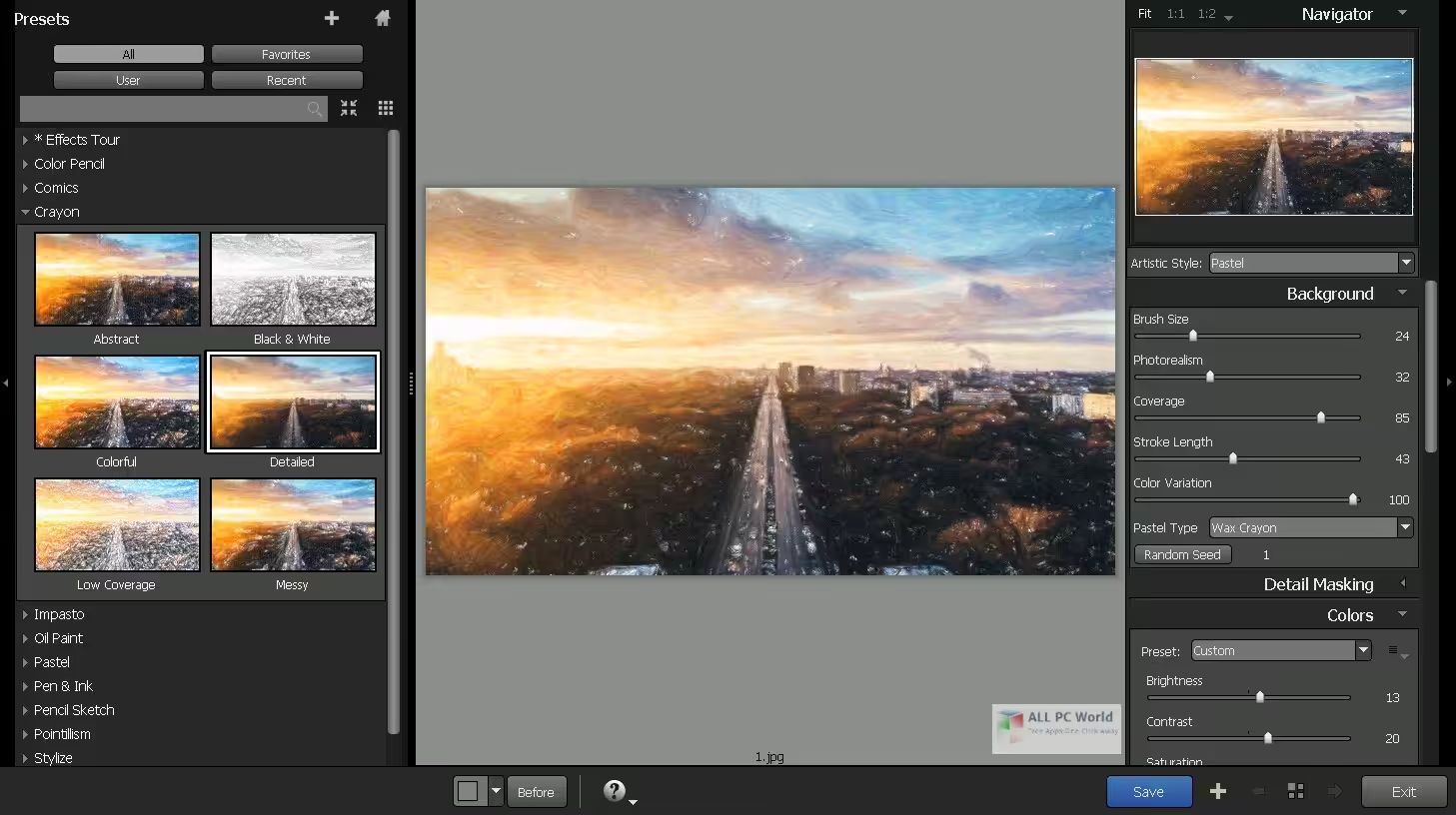
Snap Art 4 lets you experiment with multiple artistic styles via a simple, sleek user interface. The refreshed design and layout reduce distractions and provide fast visual browsing of a wide array of presets so you can achieve perfect results quicker than ever. Snap Art works everywhere you do, including as a standalone application that provides easy batch processing.
Forget about buying a pen tablet and taking classes to learn how to use complicated painting software. Snap Art expertly applies thousands of brush strokes. You simply show where you want more detail. This improved level of control makes it easy to render stunning portraits.
Quickly start by choosing from hundreds of new styles and ten natural media, such as oil paint, watercolor, and pencil sketch. Then customize anything from brush size to paint thickness to make your signature look. Snap Art’s wide range of control lets you make your work completely unique.
Whatever your workflow, Snap Art 4 will blend right in. It integrates seamlessly with Photoshop, Photoshop Elements, Lightroom, and now Aperture. Snap Art now works as a standalone application too. This helps you quickly batch process multiple images and supports workflows that don’t use plug-ins.
- Release notes were unavailable when this listing was updated.