

AlDente was designed to help users maximize battery lifespan by preventing it from charging to 100%. This should help keep your battery in good shape for longer, and it’s something you can’t easily do on your own. Given how difficult and expensive it is to replace a battery on an Apple device, it’s understandable why people try to keep them running for as long as possible.
- Features
- Screenshots
- Whats new?
- Charge Limiter: AlDente allows you to limit your MacBook’s charging capacity above a certain percentage. This will not only decrease Battery wear but also increase the longevity of your Battery.
- Discharge: This feature allows your MacBook to run entirely on Battery even if it is plugged in. Therefore, you can actively discharge your MacBook to a healthier percentage.
- Heat Protection: Charging your battery while its temperature is high results in faster battery degradation. With Heat Protection enabled, charging will automatically stop when your battery temperature is too high.
- Calibration Mode: Keeping your battery at a lower percentage, such as 20-70%, over weeks without doing full cycles can result in a disturbed battery calibration. To avoid this, you just have to do a full cycle at least once a month. With Calibration Mode activated, AlDente will perform a cycle (15%-100%) on its own.
- Sailing Mode: Normally, your MacBooks battery will always charge and discharge slightly to stay at a desired SoC, even when the Charge Limiter is activated. With Sailing Mode, it is possible to set a “sailing” range in which the battery will stay. Example: Sailing Mode is set between 75% and 80%. After charging to 80% AlDente will automatically let the battery fall back to 75% over time. When 75% is reached, it will charge back to 80%
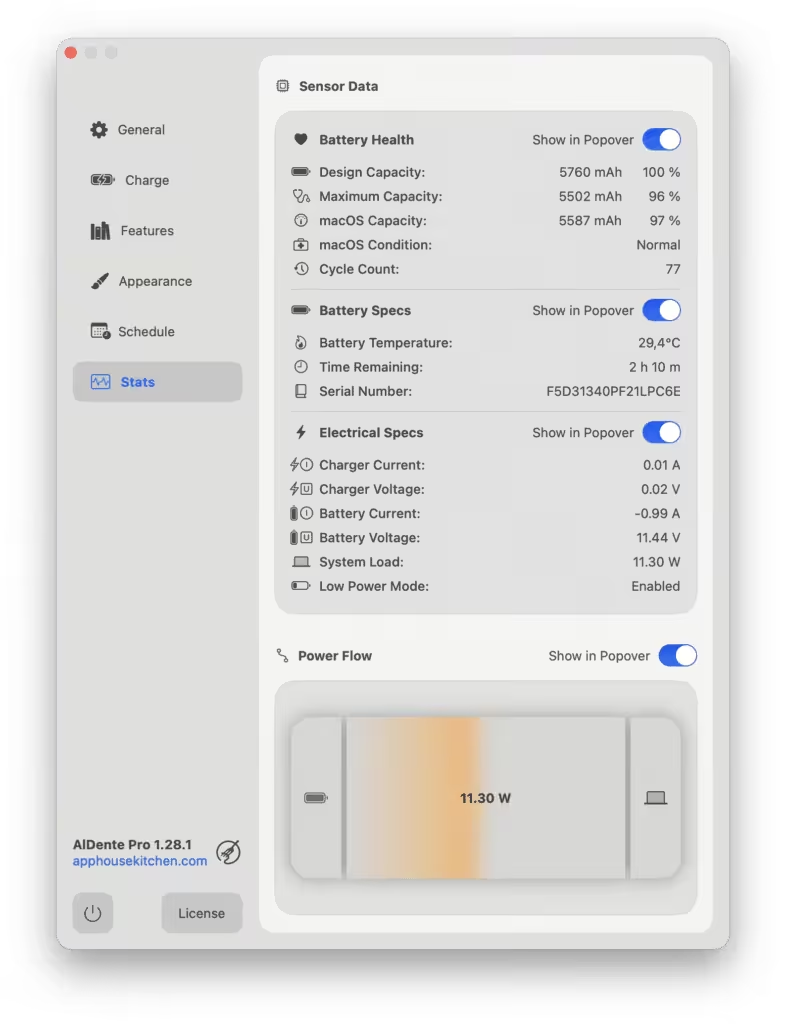
- Power Flow: Power Flow is a dynamic feature that uses a Sankey diagram to illustrate the power flow in your MacBook. It graphically displays how much power flows from your charger to the battery and MacBook or from the battery to your MacBook.
- Stats: AlDente’s new Stats feature provides detailed insights into your MacBook’s battery and power health, displaying key sensor data such as maximum battery capacity, temperature, system load, and more. This addition helps users monitor their device’s power performance, ensuring optimal battery management.
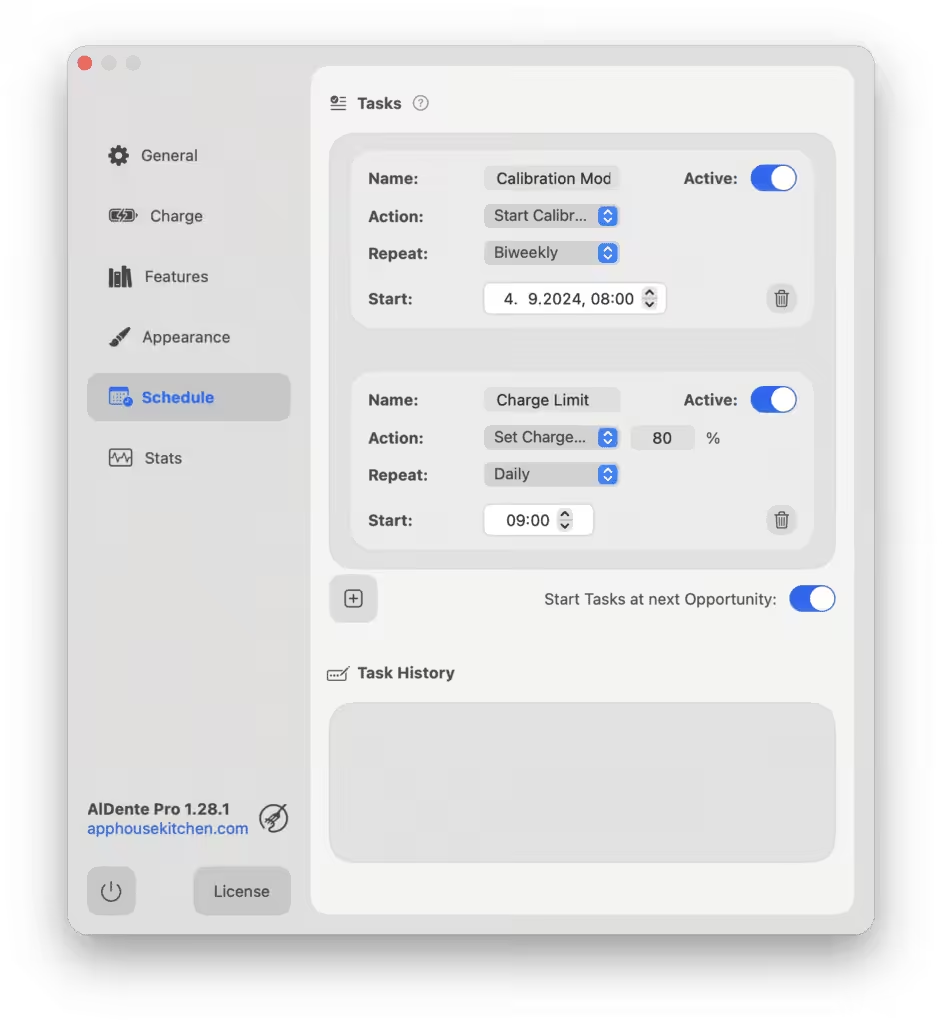
- Schedule: This feature allows users to set specific Actions in AlDente to run automatically on predetermined days, times, and intervals. For example, Calibration Mode can be set to run every two weeks.
- Hardware Battery percentage: Don’t let macOS lie to you, use the real Hardware Battery Percentage which the battery management system reports.
- Automatic Discharge: This new feature builds on top of the popular feature Discharge by automatically discharging the MacBook when the set Charge Limit in AlDente is lower than the current battery percentage.
- TOP UP: You have planned a long working session with no access to a plug? No worries, with TOP UP activated, AlDente will charge your battery to 100% just one time.
- Apple Shortcuts Support: Shortcuts allows you to add automations and configure AlDente the way you want. If you want to read more about the Apple Shortcuts app and what you can do with it, click on the icon above.
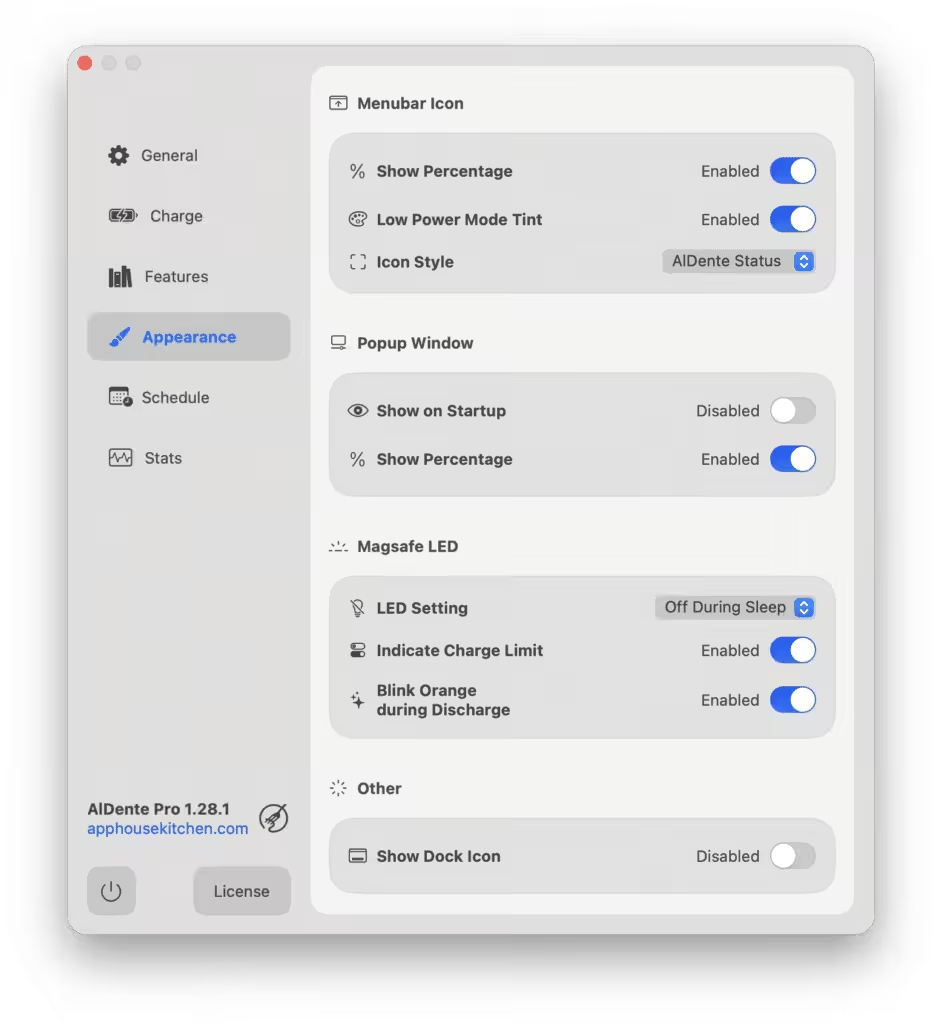
- Control MagSafe LED: This new feature brings the ability to AlDente Pro to control the color of the MagSafe LED to better indicate the current charging state of your MacBook battery.
- Stop Charging When Sleeping: With “Stop charging when sleeping” activated, AlDente will pause charging right before your MacBook goes into sleep. Therefore, charging will not continue even when it is in sleep.
- Right-Click: With Right-Click you can pause and start charging just with a right click on the menu bar icon of AlDente Pro. With the first click, you change the charge limit to the current battery percentage and with the second click, you are changing the charge limit to 100%.
- Discharge in Clamshell Mode: Want to use Discharge while your MacBook is in clamshell mode? In AlDente Pro, we could add the capability of Discharge working even in clamshell mode.
- Live Status Icons: Keep track of everything what’s happening with your battery with our live update menu bar icons which differentiate four states: Connected and Charging, Connected and Charging Paused, Connected and Discharging, and Discharging.
- The new M4 series MacBook Pros are now officially supported.
- Updated Ukrainian and French translations.
- Error messages now appear when using Top Up or Discharge while the device is unplugged.
- Fixed a bug that caused the popover to overlap with the dock in some configurations.
- Many smaller improvements and fixes.






Thanks for sharing.
the 1.36.3 version does not work on mac os 26
it’s working perfectly
On my macOS 26 ( the new version with Crystal) , AlDente stopped working. I downloaded the new version 1.35.1, but there’s no license activation or anything, it only shows the free version. It looks like an AppStore-style app now.
It is not cracked. Pro mode is not activated.
version 1.34.1 not working in MacOS 26
I installed version 1.34.1 it is the pro version but it actually doesn’t work because it doesn stop macBook from charging! anybody knows what should be done?
al dente *does* work and it *does* stop macbook from charging. either what you downloaded isn’t al dente or you’re not using it right.
I installed version 1.34.1 it is the pro version but the problem is it doesn’t stop the MacBook from charging. so actually it doesn’t work!
1.34.1 pls
To get it to work even after reboot:
1. Use LuLu to block connections.
2. Edit host file as per the readme
3. Most importantly… turn off “Launch at login” on aldente. Then manually start it after reboot.
What happens is it starts before LuLu and gets downgraded to non-pro. But if you let LuLu start after reboot, and then manually start aldente it will keep working.
i cannot even get the pro working, i tried installing aldente.dmg from the zip here, tried installing aldente from official site and patching it after. nothing. pro not working for me
If the version here is outdated, first download the latest version of the program from its official website. Then, copy the patch file included in this package to the specified location. After that, download the LuLu application and block AlDente’s internet access. You can then use the program normally. That’s what I did. Don’t bother with the hosts file — if you have an IPv6 connection, it’s very difficult to block it that way.
guys, all you need to do is read and do the readme.txt
its only a few stes like copy the given AlDente folder to specified fodler.
Then block (forever) connections to Paddle server with LS!
and do some terminal things.
If you are not familiar with vim operating in the terminal, you can ask chatgpt.
i use sudo nano to edit file,
not cracked…
It worked! Thank you so much. I had tried this before, but it didn’t work at the time. This time, it did! I just copied the two files into the ‘AlDente’ folder created in the ‘Library/Application Support’ directory, and it worked. I also used the terminal with the sudo command, following instructions from ChatGPT. For safety, I turned off my internet during the process.
Update: it does not work if the internet connection is turned on 🙁 but after closing the connection if I reopen it worked and then I turn my internet on 🙂 inconvenience. Anyway I’ll switch to Pro Mode when needed by reopening the app with the internet turned off. the basic version can limit the charge too!
To have it fully working even after a reboot, use Little Snitch to block inbound and outbound connections.
That did the trick for me
thanks it worked .what worked for me is firstly I unistalled the aldente pro complete then before allowing from setting to installed i did block all conenectio outgoing and incoming from little snitch and it worked . the real thing is why it doesn’t worked before is when installed normally it won’t install its ” helper ” and the thats i thing the main part the let it to comunicate with Mac. ANd i think they also disabled the installed of “helper ” in official free trail verson also it will only be installed once provided the activation key.
Keeps going back to free version after a reboot… It’s blocked in /etc/hosts AND radio slience…
Any suggestion ?
So this is what worked for me:
1. Blocked connection using LuLu
2. Edited the host file with the appropriate entries from readme.
This gets it working but it resets after a reboot, to fix that there is a simple workaround. Turn off “Launch at login” and manually start aldente after a reboot. What happens is aldente starts before Lulu and that resets the license. But if you start it manually after Lulu is up and running, the license stays at Pro even after reboot. Hope this helps some others out, took me a bit of time to figure it out.
IPv6 bağlantiniz varsa, Host dosyasını düzenlemek işe yaramıyor. En garanti çözüm, kurulum yaptıktan sonra, LULu isimli programdan AlDente uygulamasini bloklamak. Böylece sorunsuz kullanabilirsiniz. Çünkü her yeniden başlattığınız da lisans sorguluyor ve ücretsiz versiyona geçiyor.
Those who have problems, please translate the text above into their own language.
Copy the given AlDente folder to:
~/Library/Application Support/
Then block (forever) connections to Paddle server with LS!
sudo vi /etc/hosts
127.0.0.1 paddleapi.com
127.0.0.1 paddle.com
127.0.0.1 paddle.s3.amazonaws.com
127.0.0.1 v3.paddleapi.com
If you are not familiar with vim operating in the terminal, you can ask chatgpt.
doesn’t works
If you shutdown Mac, it returns to the free version. How do we prevent this?
EASY,Don’t shutdown…XD
use the LuLu Block aldente
doesn’t work still
Its not working latest macos
If anyone is experiencing issues with the latest crack 1.31.1 or 1.31.2 versions, follow this:
1) Fully uninstall any previously installed aldente versions using something like App Cleaner.
2) copy the folder inside patch.dmg they have told to copy to the following location: ~/Library/Application Support/
3)Next copy the application to the application folder and open it.
4) Voila! It should function properly now
this is not cracked
its ok , fonctionne super bien en version PRO , il faut bloquer le parefeu , autrement repasse en mode demo au demarrage .
not cracked…
IT’S NOT THE PRO VERSION
working but not as pro and it is preventing my mac from lock the screen because … it is not a pro 🙁
sequoia?