


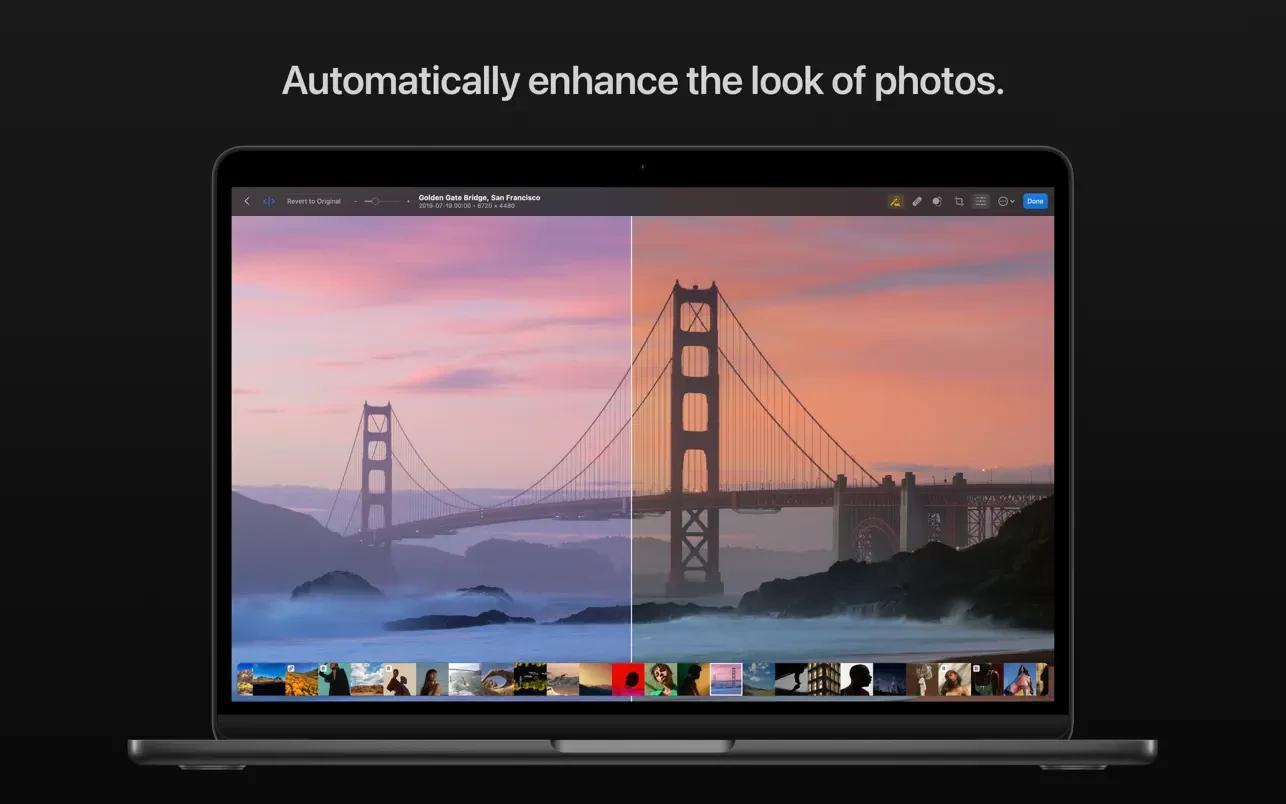
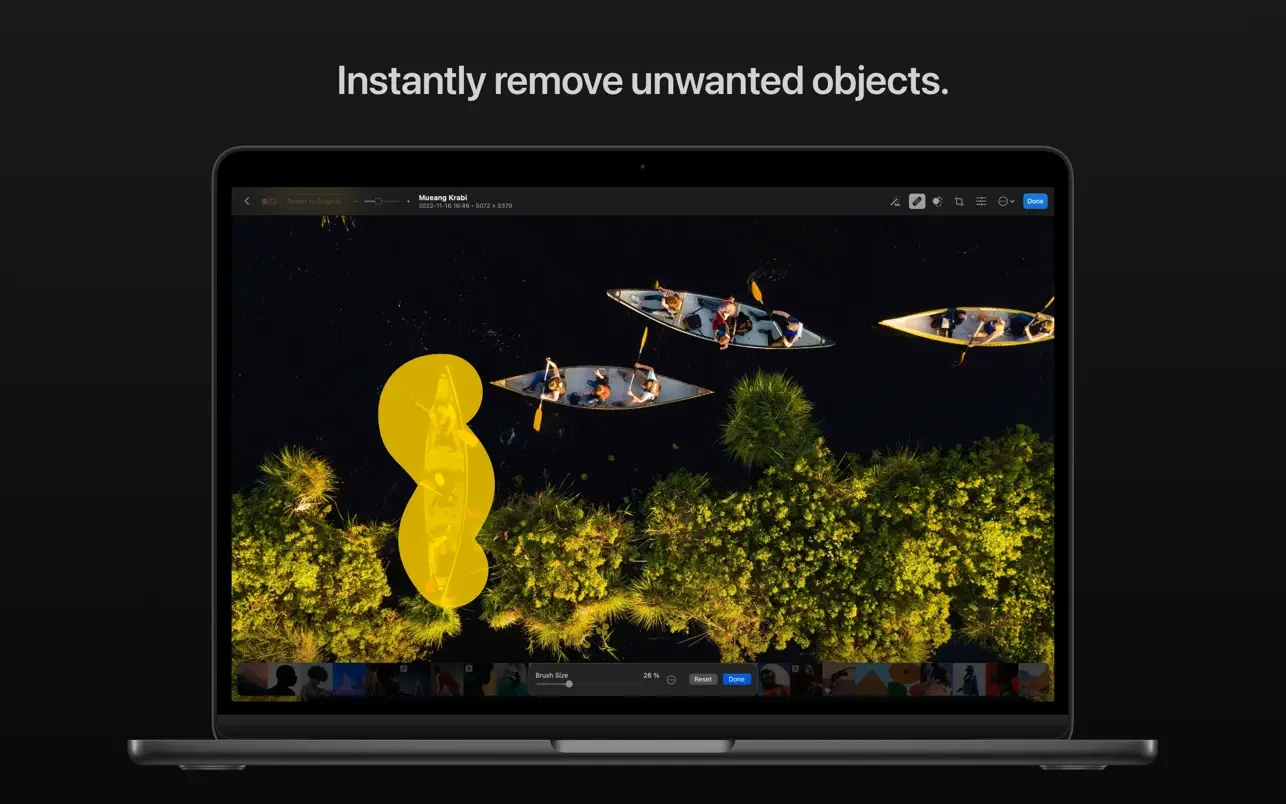
Photomator is a photo editing powerhouse, offering incredible tools for enhancing, retouching, and managing your photos. It includes an extensive collection of cutting-edge color adjustments, automatic selections powered by AI, powerful batch editing features, Clone and Repair tools for removing unwanted objects, and much more.
- Features
- Screenshots
- Whats new?
The ultimate photo editing experience
- Adjust colors and lighting using a collection of powerful, nondestructive color adjustments
- Automatically make precise subject, sky, and background selections in photos using AI
- Add gradient masks, make color range selections, or simply paint over the areas you want to adjust using a brush
- Seamlessly clone or remove unwanted objects using state-of-the-art retouching tools
- Easily copy and paste edits between photos or batch edit entire photoshoots at a time
- Crop, straighten, and change the perspective of photos with a powerful and easy-to-use Crop tool
- Quickly change the look of photos using an extensive collection of presets, designed for landscape, black and white, and other photography styles
Tools powered by AI
- Automatically enhance shots using a machine learning algorithm trained on 20 million pro photos, or fine-tune individual adjustments, like White Balance, Selective Color, or Color Balance with a single click
- Magically increase the resolution of photos while keeping them detailed and sharp
- Remove camera noise and image compression artifacts with the Core ML-powered Denoise feature
- Instantly improve the quality of photos by removing color banding and increasing color depth with AI-powered Smart Deband feature
- Copy the look of any photo to another using the incredible color-matching feature
- Intelligently crop photos using machine learning-powered auto-cropping
State-of-the-art color adjustments
- Enjoy powerful tools for effortlessly adjusting the temperature, tint, exposure, contrast, brightness, hue, saturation, and vibrance in your photos
- Recover incredible amounts of detail in the highlights and shadows of photos
- Magically enhance fine details and structure in photos using powerful Clarity and Texture adjustments, or adjust textures in the highlights, midtones, and shadows separately
- Selectively edit individual color ranges with Selective Color, or improve the balance of colors in the shadows, midtones, and highlights with Color Balance
- Adjust lighting and colors with full precision using Levels and Curves adjustments
- Mix the balance of the red, green, and blue color channels to create intense color effects in your images
- Replace any color with any other using the Replace Color adjustment
- Create beautiful black and whites even from your color photos
- Use a range of additional adjustments, like Sharpen, Fade, Grain, Color Monochrome, Sepia, and Invert to make your photos stand out
- Instantly change the look of photos with LUTs or export custom LUTs to use in other apps
RAW editing makes simple
- Open and edit over 650 RAW image formats, including Apple ProRAW and compressed Fujifilm RAWs
- Edit RAW photos as easily as photos in other formats using all the nondestructive tools, including Repair and Clone tools
- Easily batch-edit RAW photos together with photos in other formats
Compatibility
- Automatically sync every change back to your Photos library
- With the support for iCloud Drive, enjoy seamless edit syncing across Mac, iPhone, and iPad
- Photomator 3.3.23 adds optimizations to reduce the app size, along with a few other small improvements and fixes.
- Photomator has been optimized to take up less space on your device by removing unused assets.
- When importing a folder to the Files browser, if subfolders or individual images within that folder had previously been imported, they would not be removed as they should. Fixed.
- In the Files browser, after using the Finder to delete a JPEG that was part of a JPEG+RAW pair, the original RAW would also be removed until the app was relaunched. Fixed.


Photomateur 3.4.7 work 100 % on macOS Sequoia M1 many tanks
– Not working export form view mode, there are a few fixes in the version 3.4.1 recently updated. Thanx!
Thank you, it’s working (OS Sonoma)
latest 3.3.4
update?