

Hype lets you create stunning animated and interactive web content. Leading designers use it to create animations that add a “wow” factor to web pages, infographics, presentations, digital magazines, ads, iBooks, educational content, app prototypes, portfolios, animated GIFs, videos, entire websites, and much more.
- Features
- Screenshots
- Whats new?
Quickly Animate:
- Easy-to-use keyframe-based animation system
- Record mode watches your every move, automatically creating keyframes as needed
- Create natural motion curves with bézier paths
- Morph between vector shapes with no effort (even with a different number of path points)
- Make scenes for organization and flow
- Use the power of multiple simultaneous timelines to run animations
Add Interactivity:
- Action handlers kick off and control timelines, the transition between scenes, or run custom JavaScript
- Visually build action handlers to respond to taps, clicks, and animation events
Create Stunning Content:
- WebKit-based WYSYWIG “what you see is what you get” scene editing
- Intelligent guidelines, arrangement, and sizing tools
- Easily integrate video and audio for stunning multimedia documents
- Cutting-edge effects: blur, image filters, backdrop filters, scale, skew, reflection, and 3D transforms
- Add Google Fonts or use your own web fonts
- Setup accessibility alt text, roles, and tab index
- Retina image support
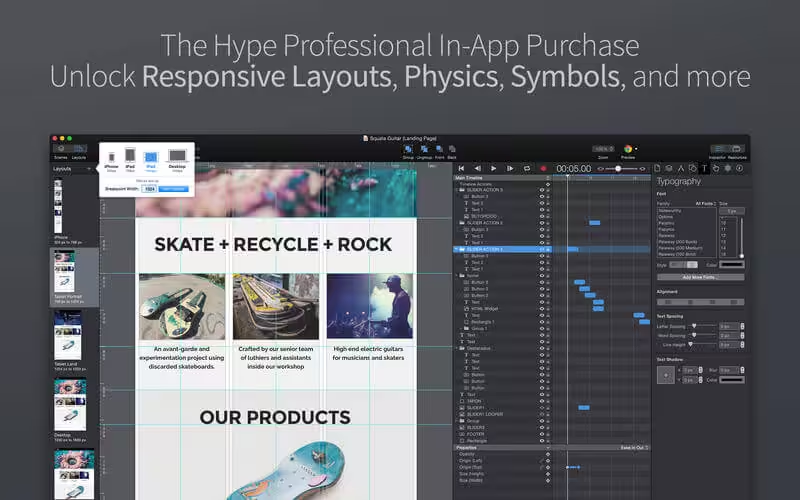
- Vector Shapes: Polygon, Path, and Pencil tools with Shape Morphing
- Sprite Sheet/Image Sequence import [pro]
- Page Turn transition for smooth scene swiping
- Skew transform
- Drop and Inset shadows
- External editor support for resources/jаvascript/head html [pro]
- Ad Fallback Images [pro]
- Official CDN to host runtime files [pro]
- jаvascript math equation timing functions [pro]
- Custom HTML attributes (like data-*) [pro]
- Many other enhancements, UI tweaks, and bug fixes






M5 too
Not working on M1 as well as on M2