

VMware Fusion Pro gives Mac users the power to run Windows on Mac, along with hundreds of other operating systems side by side with Mac applications, without rebooting. VMware Fusion 25H2 is simple for home users and powerful enough for IT professionals, developers, and businesses. Before you can install and run a guest (non-native) OS, you must create a virtual machine, a container that holds the guest OS and allows it to run.
- Features
- Screenshots
- Whats new?
Run Nearly Any Operating System on a Mac
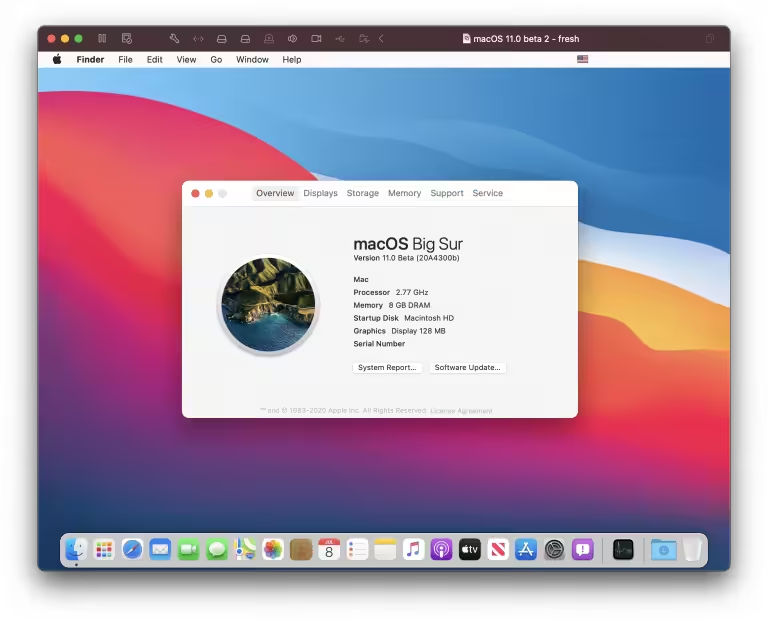
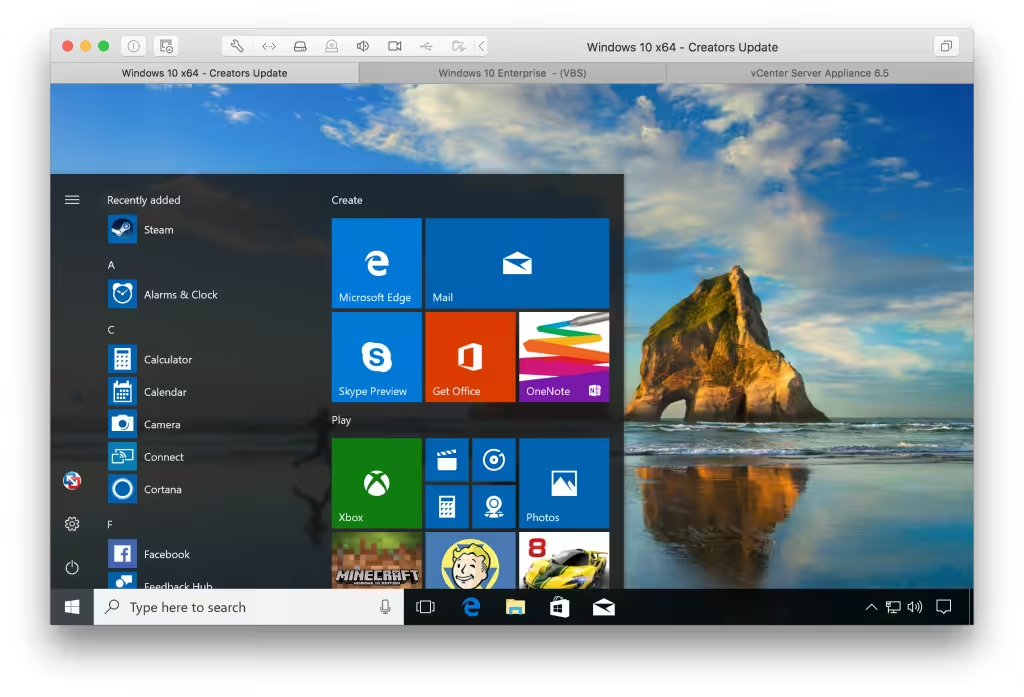
Running Windows on Mac is only the beginning. VMware Fusion 13 lets you choose from hundreds of supported operating systems, from lesser-known Linux distributions to the latest Windows 10 release, to run side by side with the latest macOS release.
Develop and Test for Any Platform
VMware Fusion makes it simple to test nearly any OS and app on a Mac. Build and test apps in a sandbox while securely sharing local source files and folders.
VMware Fusion Pro now includes a RESTful API to integrate with modern development tools like Docker, Vagrant, Ansible, Chef, and others to fit the power of VMware into today’s Agile and DevOps-oriented production pipelines.
Connect to VMware vSphere
Securely connect with vSphere, ESXi, and Workstation servers to launch, control, and manage both virtual machines (VMs) and physical hosts.
Thanks to the common VMware platform, VMs can be easily transferred from the vSphere data center to the Mac desktop and then run in VMware Fusion.
Make Windows Feel at Home on Mac
VMware Fusion blends your Windows experience seamlessly with the Mac you love. You have the flexibility to keep the two worlds securely apart or integrate them for one seamless experience. Install a fresh OS like Windows 10 or easily convert an older PC into a virtual one.
Helpful Snapshots and Clones
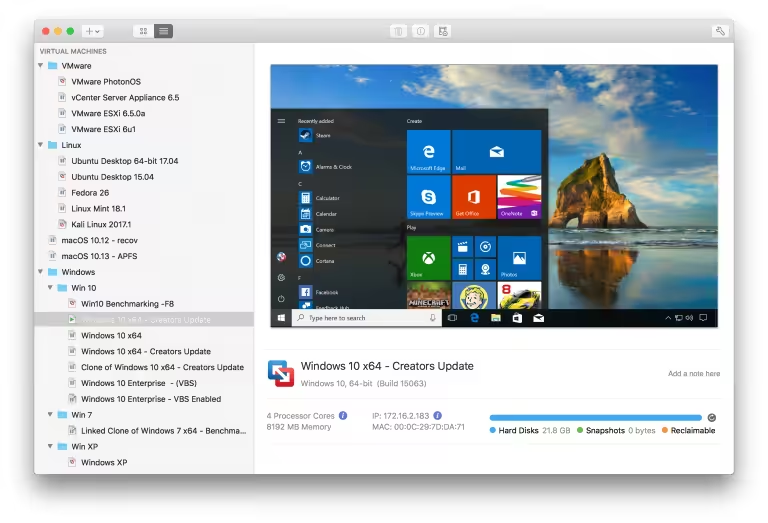
Use Snapshots to create a rollback point to revert to on the fly, which is perfect for testing software or creating repeatable demos. Clones make it easy to test a variety of different scenarios without the need to deploy the same OS configuration multiple times.
The complement to Boot Camp
No more choosing between Windows or Mac at start-up. VMware Fusion 13 lets you run Windows and Mac apps side-by-side directly from your existing Boot Camp partition without re-installing or rebooting.
Clones for Rapid Duplication
Save time and effort when creating the same virtual machine configuration repeatedly. Use “Linked Clones” to quickly duplicate a VM while significantly reducing physical disk space, or use “Full Clones” to create fully isolated duplicates that can be shared with other VMware Fusion 13 or Workstation users.
Unity View Mode
Fusion’s Unity View Mode hides the Windows desktop so you can run Windows apps just like Mac apps. Windows apps can launch directly from Dock, Spotlight, or Launchpad and, once running, can be viewed in Exposé, Spaces, and Mission Control just as if they were Mac apps.
Updated Virtual Hardware Platform
VMware Fusion leverages the next-generation vSphere hypervisor platform and brings new enhancements for data center testing and enterprise security.
Torrent VMware Fusion 13 now includes a new virtual Trusted Platform Module for supporting Microsoft Virtualization Based Security technologies such as Device Guard and Credential Guard, as well as UEFI Secure Boot and virtual NVMe devices, and adds support for 3GB vGPU configurations.

- New Guest Operating System Support
- Microsoft Windows 11
- Microsoft Windows Server 2022
- RHEL 9
- Debian 11.x
- Ubuntu 22.04
- Support for Apple Silicon Mac
- Fusion now supports running Arm virtual machines on Apple Silicon Macs
- Universal Package for x86 and Apple Silicon
- A single universal package (.dmg) is provided for both Intel and Apple Silicon Macs.
- New Virtual Trusted Platform Module 2.0
- Fusion now offers a virtual Trusted Platform Module (version 2.0) device to support Windows 11 and other operating systems that require a TPM.
- New Full or Fast Encryption features
- You can now choose between security (Full) and performance (Fast) options for encryption.
- Improved Graphics Support: OpenGL 4.3
- Fusion now supports OpenGL 4.3 for Windows and Linux on Intel Macs as well as in Linux arm64 virtual machines on Apple Silicon Macs.
- Support for WDDM 1.2
- Fusion now supports WDDM (Windows Display Driver Model) version 1.2 for virtual machines.
- Support for vSphere 8 and ESXi 8. In addition to standard power operations for ESXi hosts,
- Fusion 13 also supports:
- Connect to ESXi 8 Hosts or vCenter Server 8
- Upload or Download VMs between ESXi and Fusion (Intel Macs only at this time)
- Create a new VM on a remote server from the local desktop






bro this is fucking amazing i thought like i won’t work but it’s really work, thanks
the downloaded file is in zip but no dmg file inside, someone knows how to intall that zip file???
Do you need install a zip extractor in the App Store, recommended: Unarchiver by macpaws
Funciona perfecto en Mac Os Sonoma.
Thanks! Works like a charm
However – Voices in the VMware community itself are recommending to use the VMware Fusion Public Tech Preview 2023. For instance; auto-resolution on window resizing, 3d support.
See link below
https://customerconnect.vmware.com/downloads/get-download?downloadGroup=FUS-TP2023&download=true
It’s not working on my M1 Air
VMware Fusion Pro 13 License Key – working for me
Well Done !
File not found showing
File in unsupported format 🙁
use 3rd party rar extractor, i downloaded one from appstore and worked for me
Thanks! Worked like a charm!
is it working on a m1 mac?
Thanks so much. Working on Intel with Ventura
Hey , anyone’s having vmware fusion pro 13 key .
It works like a charm! thank you
Doesn’t work on m1 shows pipe connection error
Same as before in new-version also. Not working in MB M1 Pro. Getting Message: This version of VMware Fusion is for Intel-based Macs, but is being run on an Apple silicon based Mac via Rosetta-2.
Guys, are the best ! Thanks a lot !!! all works as a charm
Do you know which app can I use to get the Directx12 working?
is there any alternative for this app, my mac is catalina and this version of VM ware doesn’t match with my mac version?
Thanks for sharing
do you have vmware fusion 10 crack plz i have older mac???
thanks
Not working on M1. Power up (.vmx) error comes up 🙂
pls fix
Not working for M1 MacBook Pro
MacBook Pro M1 error Users/semihsendogan/Virtual Machines.localized/Windows 10.vmwarevm/Windows 10.vmx’
Users/XXXXX/Virtual Machines.localized/Windows 10.vmwarevm/Windows 10.vmx’
doesn’t work on MB m1, power error
not working for m1, power error on start.
it is not starting the virtual machine
Everything works, I just get a message about the when I open and get this message failed power
some body know why VMWARE Tool is no active, beacuse i dont share windows to OSX…
this is a zip file not dmg…
Just unzip it.
Yes i did try both, instal with internet disabled didn’t work, and with internet enabled alsodidnt wrok, there is a problem occurred when loading windows 10 arm file
No it doesnt work man its giving the same error message as the previews one (failed to activate)
Did you disconnect the internet before activate?
hey , Is this version works now with M1 ? , cuz 12.1.1 was not working
Yes, it is.
works thank you
VMware doesn’t even supports M1 yet, it’s misleading a bit.
No it doesn’t.
Getting below message when trying to install on M1 MacBook pro.
Failed to power on ‘/Users/**/Virtual Machines.localized/Win10x64.vmwarevm/Win10x64.vmx’
Does it work on Macbook M1?
Yes.
Does this works on Apple Silicon ARM chips M1?
corect key please
Thank you very much it was very helpful !
Worked wonders, thanks.
worked like a charm, thank you
You’re most welcome Bro 🙂
Please keep visiting and invite your friends.
You guys rock!!! Saved my precious $$$ ^^bbb
IT works fine thanck so mach …
You are most welcome to Haxmac 🙂
Please keep visiting and invite your friends 🙂
It worked for 12. Thanks so much and God bless you
very nice its working thanks too much
You’re most welcome 🙂
Key doesn’t work in Fusion Pro 12
Here is the tested key:
ZF3R0-FHED2-M80TY-8QYGC-NPKYF
YF390-0HF8P-M81RQ-2DXQE-M2UT6
ZF71R-DMX85-08DQY-8YMNC-PPHV8
thank you…
it worked. Thanks…
thanks
You’re most welcome bro 🙂
It works Dudeee Thanx a lot ❣️❣️
You’re most welcome bro 🙂
Please keep visiting and invite your friends 🙂
can’t install 🙁
told me I need 10.14. I still use 10.13
Sorry for the bug, you need to wait for next update ????
Keys worked, tysm 🙂
it’s not working on mac os Catalina
Try new update
Thank you for comment 🙂
Awesome. It works quickly!! Thanks a lot
You are welcome 🙂
Great job! The first one works like a charm, thanks 🙂
You are most welcome 🙂
Please keep visiting Haxmac and invite your firend
how i start the Keygen? Can Anyone post a Serial Number please?
You can try this:
still work? it is not working in a new catalina OS 🙁
It’s working on Catalina
Why does my antivirus quarentine this files saying thers a trojan in the disc image?
Maximum cracked dmg show this, so disable your antivirus temporally 🙂
it’s work great
thanks for comment
It works like a charm! thank you
You r welcome to Haxmac 🙂
Keep visiting Haxmac
serial keys not working
New Version Updated, Try now.
Thanks for comment 🙂