


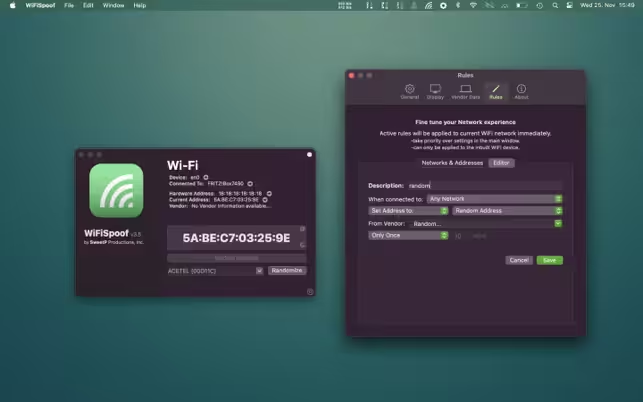
WiFiSpoof – a small utility that will help you easily change the WiFi Mac address with hotkeys, or from the menu bar. The MAC address can be changed at any random time (generated by the application) or you can specify it directly. Quickly and easily change your computer’s MAC address. A beautiful and Intuitive UI made for humans.
- Features
- Screenshots
- Whats new?
- MAC Address Spoofing: Easily change your Wi-Fi/Ethernet MAC address – no need to fiddle with the Terminal. Generate completely random MAC addresses, or specific vendor addresses with the in-built vendor database.
- Fully Customizable: Setup custom rules for all your favorite networks – randomize every 30mins at your favorite cafe, set to a predefined MAC address at work, and set another MAC address at home. WiFiSpoof the possibilities are endless.
- Global hotkeys: Configure global keyboard shortcuts to instantly access the main window with handy network information, randomize your MAC address, or toggle the built-in timer function.
- Private browsing: Avoid silly network restrictions and protect your privacy while surfing public Wi-Fi networks. WiFiSpoof MAC addresses are not encrypted while you surf the internet, leaving your computer as a potential target for undesirable tracking.


- Fixed a potential crash






App not working. Please any fix?
Not working
not working on ventura
App not installing install helper tool, can you verify if its working correctly?