


Topaz Video works directly on your Mac or PC. Use the standalone to batch process footage in sequence, or use it as a plugin for a tight workflow. The capabilities of recording equipment and media playback devices increase every year, and with them, the demand for higher-quality content from viewers.
- Features
- Screenshots
- Whats new?
One option is to use a video upscaler like Topaz Video AI. It can increase the resolution of low-quality videos, as well as repair various issues, without making the result blurry or stripping away important details. It is designed to be usable by anyone, with an intuitive feature set and helpful presets.
Increase video resolution and enhance the output
Let’s start with upscaling. This app relies on AI models, which are trained on countless upscaled videos. Unlike other similar software, Video AI doesn’t handle each frame as a separate image. Instead, it analyzes surrounding frames to ensure the results are accurate.
There are multiple upscaling models you can use, depending on the type of input video, its quality, and the various issues it may be plagued with. Once you’ve set a few basic parameters (video quality, type, and artifact type), the app recommends an AI model, which can be further customized.
Increase video frame rate and create slow-motion effects
Aside from boosting resolution, Video AI can also add new frames to create a smoother-looking video. It generates new frames using the Chronos AI model, which should provide better results than basic frame blending.
Since the app can add new frames, that means you also have the option of creating slow-motion effects. These rely on the same model, while also slowing down playback speed.
Excellent results — but might need some tinkering
The program is very easy to work with, and the suggested models tend to be suitable, but not always. It’s generally a good idea to try out multiple models to see which provides the best results. This can be particularly tricky when trying to increase resolution while preserving fine details that blend in with compression artifacts, but I was always able to get a better-looking video in the end.
It’s also good not to be overly optimistic. While the app can upscale videos to up to 8K, if you’re trying to process an old 480p clip, you’re asking for a lot.
Relatively fast processing and simple workflow
As far as rendering speed is concerned, video upscaling is always going to be a slow process. However, Video AI runs natively on Apple Silicon processors and can take full advantage of their far superior capabilities. If you’re on an older Intel Mac, however, you’re going to have a lot of waiting to do.
All in all, Topaz Video AI is one of your best options for video upscaling at the moment. It can compete with any other app of its kind, and its intuitive design makes it an attractive option for non-professionals and those who rely on a straightforward workflow. It also supports batch processing, which is great if you have a bunch of smaller clips to go through.
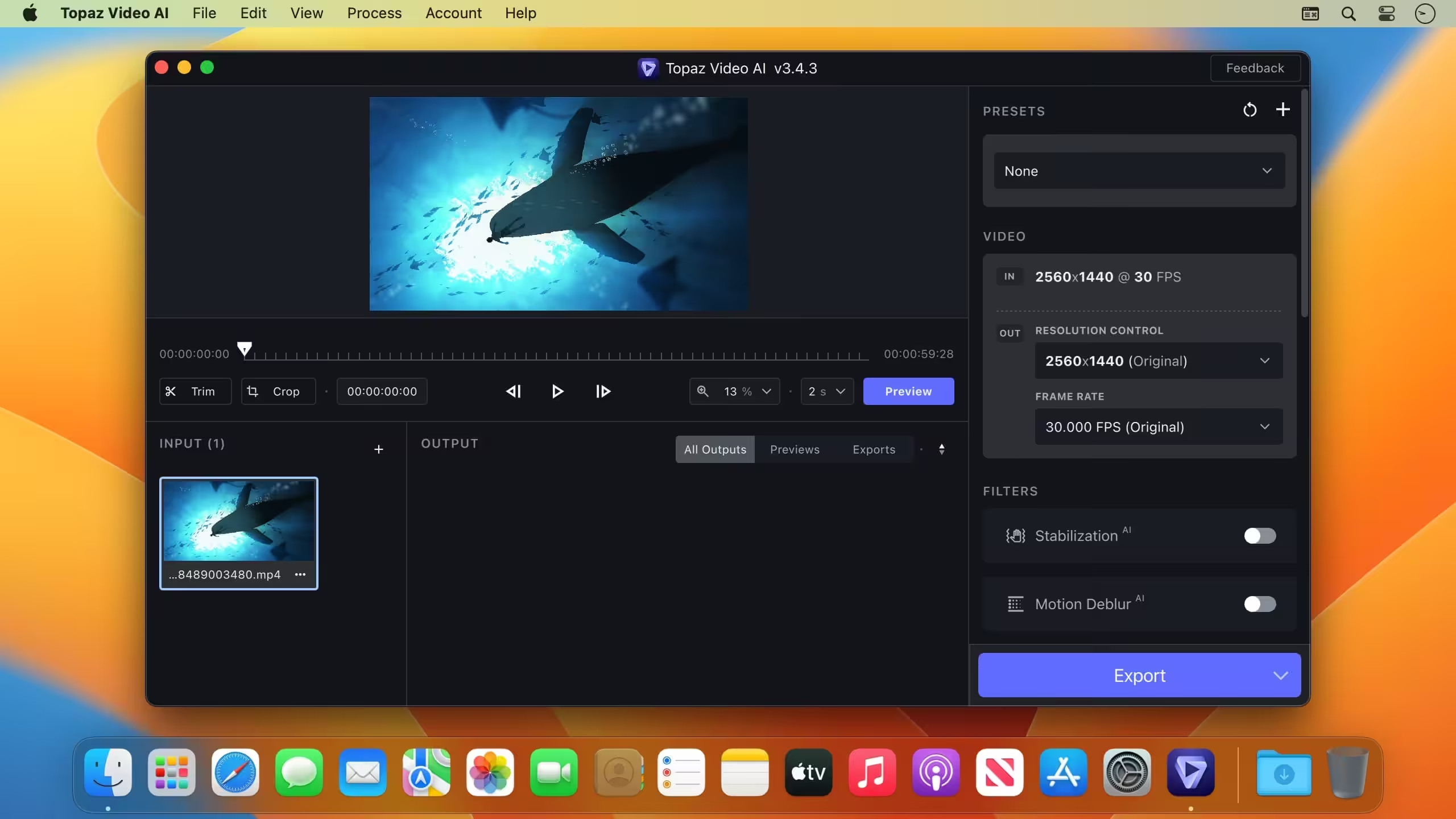
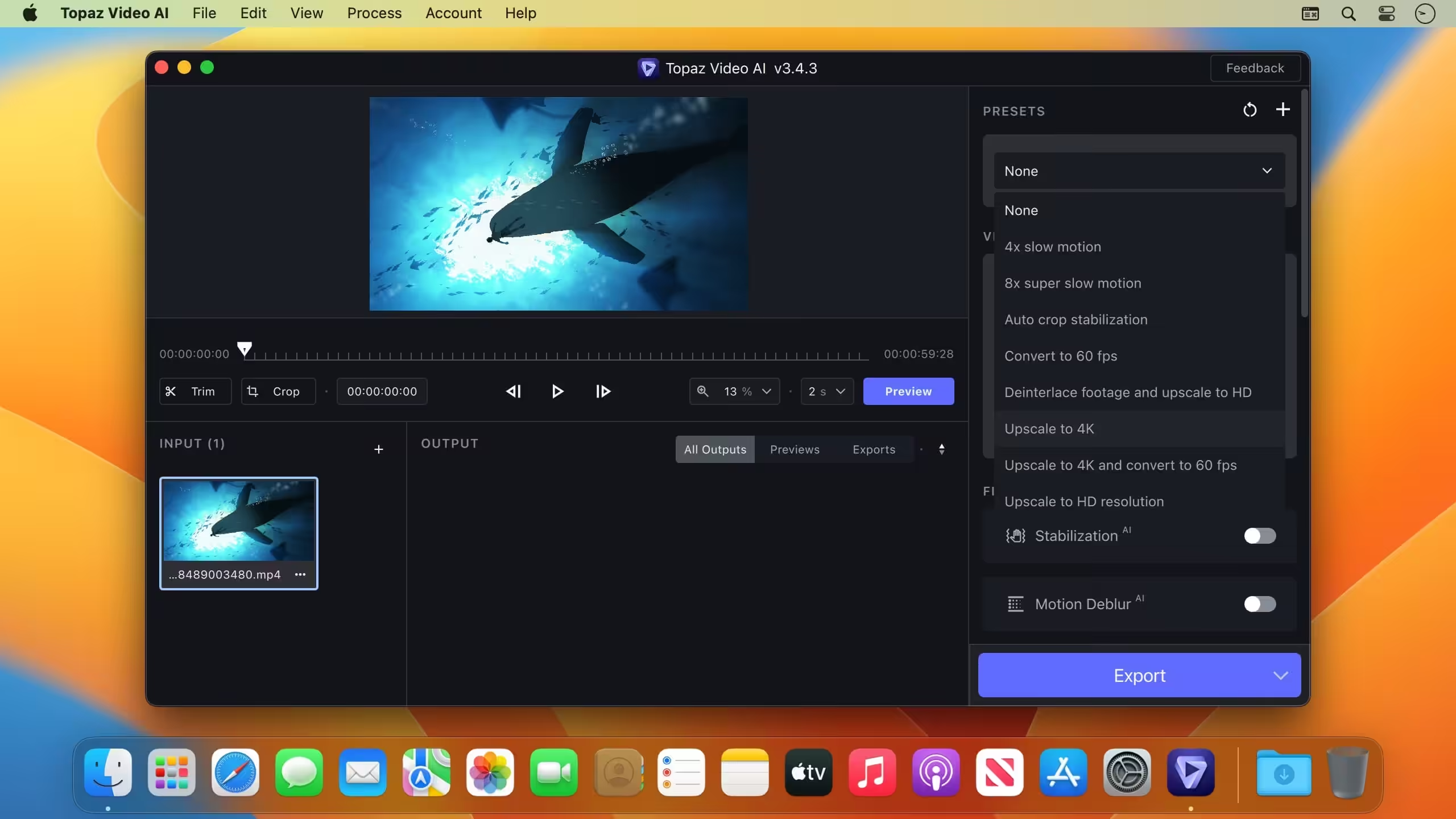
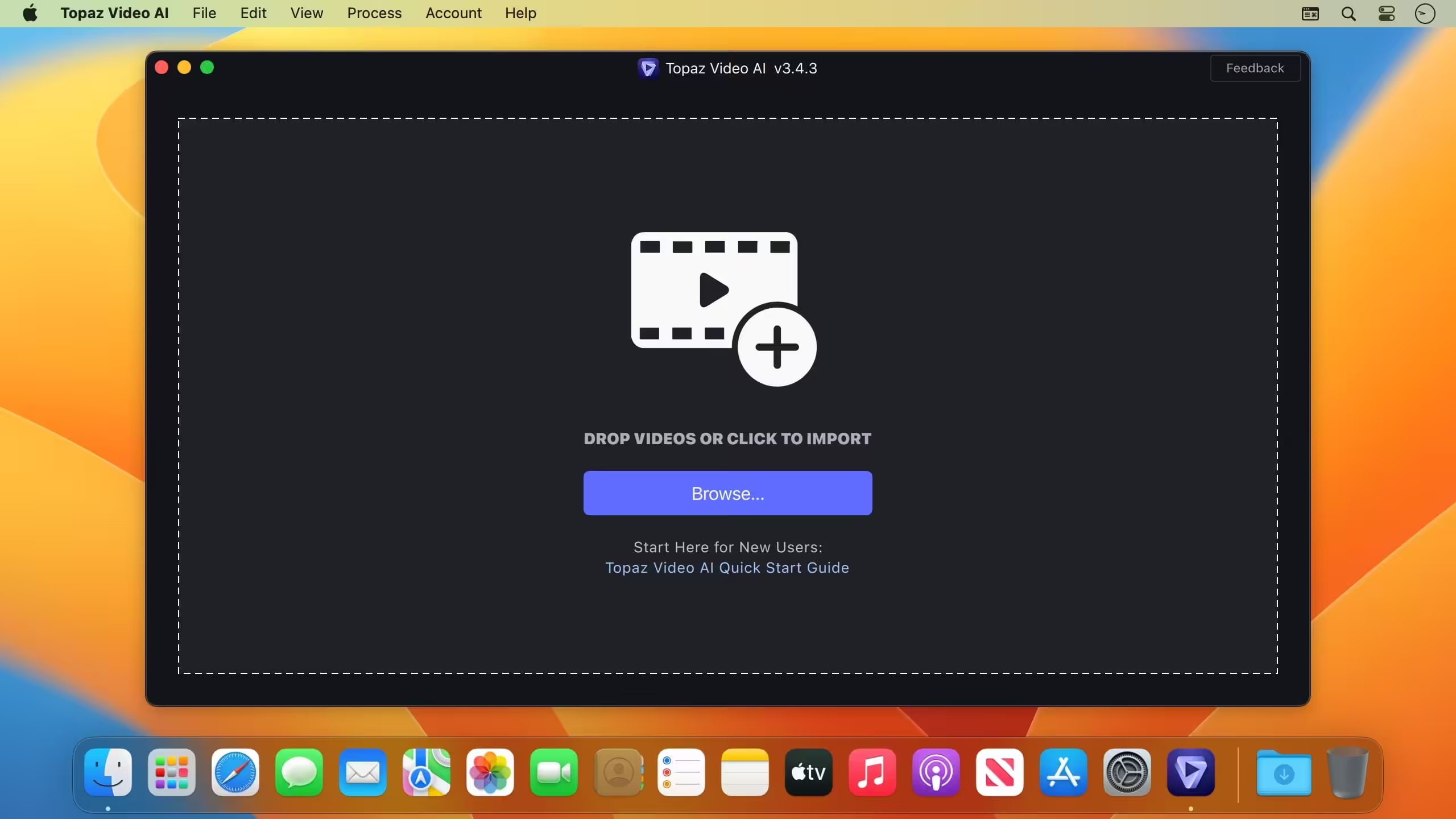
- Fixed Certain inputs making the timeline UI bugged
- Fixed certain files not responding to ‘Show in explorer’
- Fixed default export area not remembering your choice
- Fixed default profile export setting not remembering
- Fixed clicking render preview sometimes not putting you in processed area
- Fixed many scrollable areas not hiding scroll bar when not needed
- Fixed zoom percentage not updating when using shortcuts
- Fixed buggy UI for image sequence Video Settings option dialog





WORKS!!
Follow the guide below.
1)
Install, — Topaz Video AI.app
– DO NOT RUN IT YET! –
2)
run patch and press 1 for intel or 2 for ARM
If patch will not work because of permissions
Do this.
For everybody who cannot run the patch command:
Open Terminal.
Type the following:
1. chmod +x
2. Hit space bar (Type a space.)
3. Drag and Drop the file (Patch.command)onto the Terminal window.
4. Click on the Terminal window
5. press return.
6. Now go back to Patch.command and double click to open
You will get this..
Script must be run with root privileges. Input your password to continue.
Password:
7. Type your computer password and hit return.
You will see this next.
Password:
Patched: Intel
Patched: ARM
Topaz Video AI.app codesigned successfully.
License created.
Saving session…
…copying shared history…
…saving history…truncating history files…
…completed.
[Process completed]
1.7.0 is out and works with the same patch command. To get the install .pkg you need a Topaz account and go to the community forums. I’m not sure I can post a direct link here?
Known issues:
All basic general models of the software can be downloaded freely via the Model Manager, but Starlight 2.5 fails to download completely. From my testing, when I import footage and select Starlight 2.5 for export, the software shows a “downloading” status yet never finishes the download even after running overnight. Besides, I’ve watched crack tutorials for the Windows version, which reveal that Starlight 2.5 requires separate cracking. Based on this, I conclude Starlight 2.5 is unusable on Mac.
If the software window is not in fullscreen mode, the confirm button for video width & height cropping gets covered by the UI, a flaw absent in older builds.
Some vintage videos export with no audio track. The “copy stream” audio option is greyed out in export settings, leaving re-encoding as the only choice. This function performs worse than v7: even with incompatible source audio formats, v7 would automatically fall back to AAC audio output when the copy stream option was selected.
Overall, v1.61 is barely functional. Several rounds of version updates will be needed to iron out all defects and achieve a polished, stable experience.
it does not download or load any of the ai models for upscaling or anything!
patch worked but the app won’t export anything
anyone can help?
English Translation
Instructions for Mac users: Open Terminal, type sudo (with a trailing space), drag the patch file into the Terminal window, press Enter, then enter your login password to finish the operation.
Known issues:
All basic general models of the software can be downloaded freely via the Model Manager, but Starlight 2.5 fails to download completely. From my testing, when I import footage and select Starlight 2.5 for export, the software shows a “downloading” status yet never finishes the download even after running overnight. Besides, I’ve watched crack tutorials for the Windows version, which reveal that Starlight 2.5 requires separate cracking. Based on this, I conclude Starlight 2.5 is unusable on Mac.
If the software window is not in fullscreen mode, the confirm button for video width & height cropping gets covered by the UI, a flaw absent in older builds.
Some vintage videos export with no audio track. The “copy stream” audio option is greyed out in export settings, leaving re-encoding as the only choice. This function performs worse than v7: even with incompatible source audio formats, v7 would automatically fall back to AAC audio output when the copy stream option was selected.
Overall, v1.61 is barely functional. Several rounds of version updates will be needed to iron out all defects and achieve a polished, stable experience.
Most important thing in explanations HOW TO INSTALL is forgotten – after you’ve done what user Blackmagic has written, go to your iMac Settings – Privacy & Security tab (all the way to the bottom) – and click on “Install Anyway” or something like that.
For Update 1.3.1
Run the updater within the app.
Then run the patcher again, it works for 1.3.0 and for 1.3.1
Great !
it work
Patch of the current version is not working. Why?
it works!!!
It’s your mac password
how you donwload ai models
i cant find passord
Mac users are stupid asf LOL it wokrs but i’ll wait till upi figire out the basic instuctions
im not stupid i just dont do this on a daily basis. can you help me out?
patch not working
-bash: ./patch.sh: No such file or directory
patch.sh: Permission denied
Doesnt work, still asks to Activate
you have to disable SIP in recovery terminal then the patch works
This new one 6.0.0 works fine.
You have to copy the code into the terminal and also drag n drop the file into the Terminal, then hit enter and typ your computer password to let run.
what is the code?
crack not working, only Trial-mode opening.
what to type in framewok
Como Instalar?
doesnt crack for me
Open a terminal and type sh (leave a space here) and drag onto the terminal the file patch.sh
it works, thanks
Thank you did the same and now it is working.
You the best thank bro
Working!!!!
Thx Guy it works
Thanks man, you’re a life saver, 4th topaz I’ve downloaded in a day, and if not for your comment, I would have probably given up after this download
bro what did you do? can you help me out?
yoo can u help me out i dont know how ts works
There is no file patch.sh.
The downloaded file contains the installer TopazVideoAI-5.3.4.dmg and a Readme.txt
In the Readme.txt is a long command line with the instruction to paste it in terminal.
After hitting enter something is being downloaded and after that the following error message appears:
cp: /Applications/Topaz Video AI.app/Contents/MacOS/login: No such file or directory
cp: /Applications/Topaz Video AI.app/Contents/Frameworks/libvideoai.1.4.0.dylib: No such file or directory
link_dylib:cd:1: no such file or directory: /Applications/Topaz Video AI.app/Contents/Frameworks
ln: libaiengine.3.dylib: File exists
ln: libvideoai.1.dylib: File exists
It’s not cracked, the choice is given to use a demo, or to buy a liscense.
Whats the point of uploading theese things if it doesn’t work?And what is being downloaded?
explain please
It asks for a password