


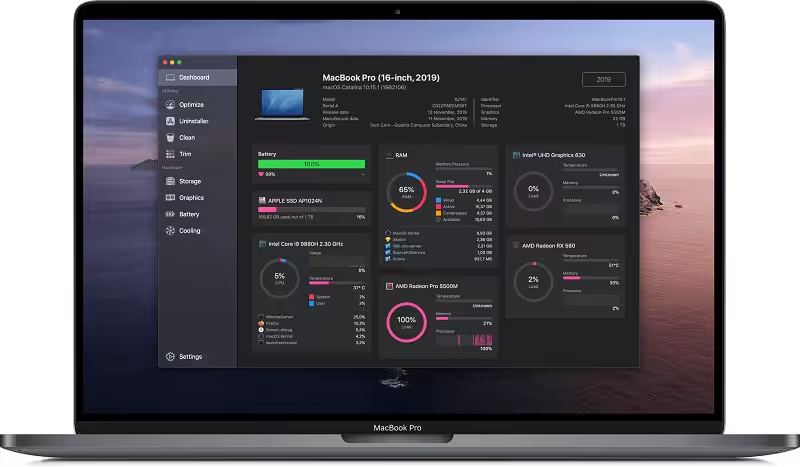
Sensei is a utility for improving your Mac performance — with features for cleaning, optimizing, and monitoring every aspect of your Mac. The next-generation Mac performance tool.
- Features
- Screenshots
- Whats new?
- Performance Dashboard
- Detailed Battery Reporter
- Disk Cleaner
- Thermal Dashboard
- Theme Support
- App Uninstaller
- Detailed Hardware Information
- Temperature Monitor
- GPU Monitor
- Performance Optimized
- CPU Monitor
- Bespoke Design
- RAM Monitor
- Detailed Display Reporter
- HDD/SSD S.M.A.R.T Reporter
- 100% Native Code
- Fan Control
- Detailed GPU/eGPU Reporter
- SSD Trim Enabler
- Accent Color Support
- Disk Health Analyzer
- Disk Benchmark
- Battery Health Analyzer
- Multiple Localizations
- Disk Monitor
- Dark Mode
- Startup Speed Optimizer
- Partition Map Explorer
- GPU Firmware Exporter
- Full official support for macOS Ventura.
- Resolved a memory leak in Sensei Monitor, causing it to use up too much memory and eventually crash.
- The Monitor subpanels now position themselves on different sides depending on available screen space.
- Added support for many new hardware models, including new battery, display and graphics cards in Apple Silicon Macs.
- Added support for more temperature sensors across many Mac models.
- Resolved issues with missing information in the Dashboard.
- Updated S.M.A.R.T drive database information to give more accurate disk health readings.
- Resolved an issue with finding a suitable disk volume in the Benchmark.






It doesnt show the values (CPU, temp, fans, etc) 😕
it doesnt show the mac values (CPU use, temp, fans, etc)
doesn’t work 🙁
please be specific, just show step by step how to install installer package. instal helper error
Download
install (allow from settings security tab)
enjoy
Solution:
applications folder: Open package content Sensei app-contents-Libary-launch services.
Copy-paste that file manually in Mac HD-Libary-PrivilegedHelperTools.
Happy cleaning with sensei 😀
Failed to install helper with error: The operation couldn’t be completed. (CFErrorDomainLaunchd error 4)
What is the workaround for this?
the only issue that with v1.4.6(88) is that it fails to install the Helper. I had to install the older version, run it and install the Helper and then install the latest version.
It refused to open Sensei because app is corrupted when I boot it after install.
you have to allow it from security setting.
Uploaded app is corrupted ;/
What’s the matter?
It is not working.
What’s the matter?
I am using M1 mac. After installation, the app cant be open. Does that mean its not supported on M1 mac ?