


Wondershare Recoverit is a comprehensive data recovery suite to recover Mac data lost due to accidental deletion, formatting, virus infection, improper operation, unexpected power failure, and other unknown reasons. It can recover Mac data from lost, deleted, logically corrupted, and formatted Mac hard drives, iPods, USB drives, SD cards, digital cameras, mobile phones, MP3 and MP4 players.
- Features
- Screenshots
- Whats new?
- Safety First: Read-only and risk-free Mac data recovery program. No writing operations to your original data.
- Versatile Preview Ability:
- For images, real-time and direct scan results are displayed during the scan process to let users stop scanning once the target images are found.
- For other Mac files such as videos, audio files, archives, and documents, they are displayed as text in Hex mode for preview letting users enjoy file recovery on Mac in advance.
- Precise File Recovery for Mac: Restore deleted files for Mac with original file names, shooting dates, and storage paths.
Support file names search for scanning results to provide you with precise Mac file recovery. - Easy-to-use and Clean Interface: Complete wizard and easy-to-use interface let you perform Mac data recovery in a breeze.

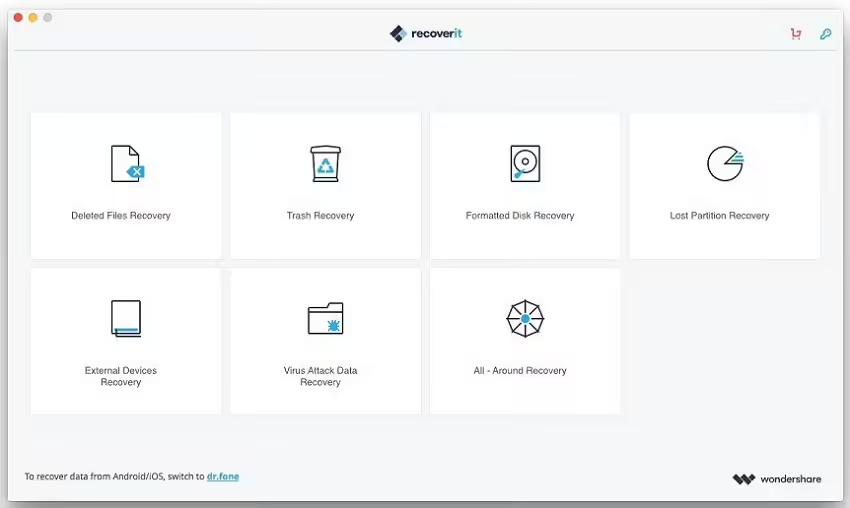
- Fix some bugs.
- Improve product stability.






does it work on M1 macbook pro? cuz ive been trying and it says not compatible
Need to crack program please.
Hello, so when I want to install the file on my MAC (2011) Version: 10.13.6, it says that the file is corrupt / damadge and I should then move it to the trash. what’s going on ???
COMO SE INSTALA ?
Works perfect on Mac OS Big Sur with a Macbook pro 2018
Hello! Where I should put a files from folder “Extra” to treat the program?
You should try this:
https://www.youtube.com/watch?v=WonYZGt-7Jc