

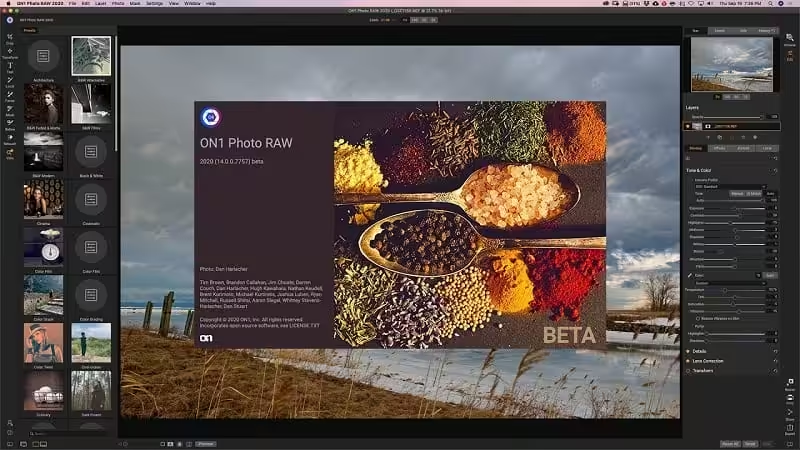
ON1 Photo RAW is a professional-grade photo organizer, raw processor, layered editor, and effects app that includes everything you need in one photography application. The newest features include AI-powered features AI Match and AI Auto, four filters in Effects (Weather, Sun Flare, Color Balance, Channel Mixer), improved decoding of raw files (especially for Fujifilm), custom camera profiles with X-Rite, SmugMug integration, improved noise reduction, a map view, a Print Module, speed/performance enhancements, and much more!
- Features
- Screenshots
- Whats new?
What do you photograph?
ON1 Photo RAW 2021 puts the primary photo editing needs for every photographer, regardless of what they shoot – without having to bounce between multiple pieces of software. Get the professional photo editing tools you need for the professional results you need while keeping your workflow efficient, powerful, and simple.
Create Photos with Impact.
ON1 Photo RAW puts the primary photo editing needs for every photographer, regardless of what they shoot – without having to bounce between multiple pieces of software. Get the professional photo editing tools you need for the professional results you need while keeping your workflow efficient, powerful, and simple.
Get Professional Results with the Hottest Looks & Styles.
We’ve curated hundreds of the most popular looks and styles seen throughout the industry. Our team of experts overhauled the preset library to give you the trendiest looks with these amazing new one-click presets.
Everything a Photographer Needs in One Application.
ON1 Photo RAW is an open system giving you control over photo organization, storage, editing, creative style, and how you purchase. While most mainstream software solutions restrict your organization and editing in closed systems, ON1 Photo RAW gives you an open system for complete control over your storage, organization, and editing.
Organization
- Fast Browsing: Lightning-fast photo browsing is perfect for quickly culling thousands of photos
- Timeline Albums: New in 2021 New automatic timeline albums organize your photos by year, month, and day
- Import: Get your photos from your camera, memory card, phone, or another device quickly
- Organizational Features: Ratings, labels, keywords, and much more
- Manage Keywords: Apply, clear, edit, or delete keywords
- Catalogs: For fast viewing of portfolios, favorite photos, or entire photo libraries
- Albums: Create quick albums from a selection of photos
- Map ViewNew in 2021: View where your photos were taken on a map, explore photo locations, and add location metadata to photos that don’t have GPS metadata
- Add Metadata: From creator to keywords to GPS, and much more
- Hierarchical Keywords: The master keyword list will now support nesting keywords inside of other keywords
Viewing
- Dual-mode: Easily unlock the Browse Module from the Edit Module, use a second display, or make sales or client presentations on a projector or TV
- Compare Mode: Compare up to 15 photos at once in order to find the best one
- Focus Mask OverlayNew in 2021: Automatically marks the areas of best focus with green so you can compare similar photos and pick out the sharpest photo quickly
- Grid or Detail View: Display a grid of thumbnails of your images or double-click to zoom in on a single image to see detail
- Filmstrip View: Displays a strip of photos from a folder or album at the bottom of the screen
- Language support in 2021: English, German, Spanish, French, Japanese, Korean, Simplified Chinese, Russian, Portuguese, Italian, and Dutch
- Release notes were unavailable when this listing was updated.





does not work on mac M1/M2
you need to uncompress the file payload its a compress file
Sonoma app-damaged solution:
Install the package
run the app will cause an “app damaged”-error
So solve the issue copy the executable from the installer into the application folder:
Open terminal
pkgutil –expand path\ REPACK.pkg /Users/your_user/tmp
go into the folder and find the files.pkg –> right click and use “show package content”
goto Payload –> Application –> ON1 Photo RAW 2023 –> onapp.zip and unzip it
find the ON1 Photo RAW 2023 executable (2.76 GB File size) and copy it over /Applications/ON1 Photo RAW 2023/ON1 Photo RAW 2023.app
Finish – app icon is not more crossed and starts normal
cant go to payload its not a directory
unzip “payload” first – it’s zipped
For 2024-version – same procedure …
Ciao, scusate la mia ignoranza ma, la cartella extra dove debbo inserirla ?. Grazie
where I supposed to paste extra files ???????
Ciao khdesign, hai capito dove va la cartella extra ?. Grazie