


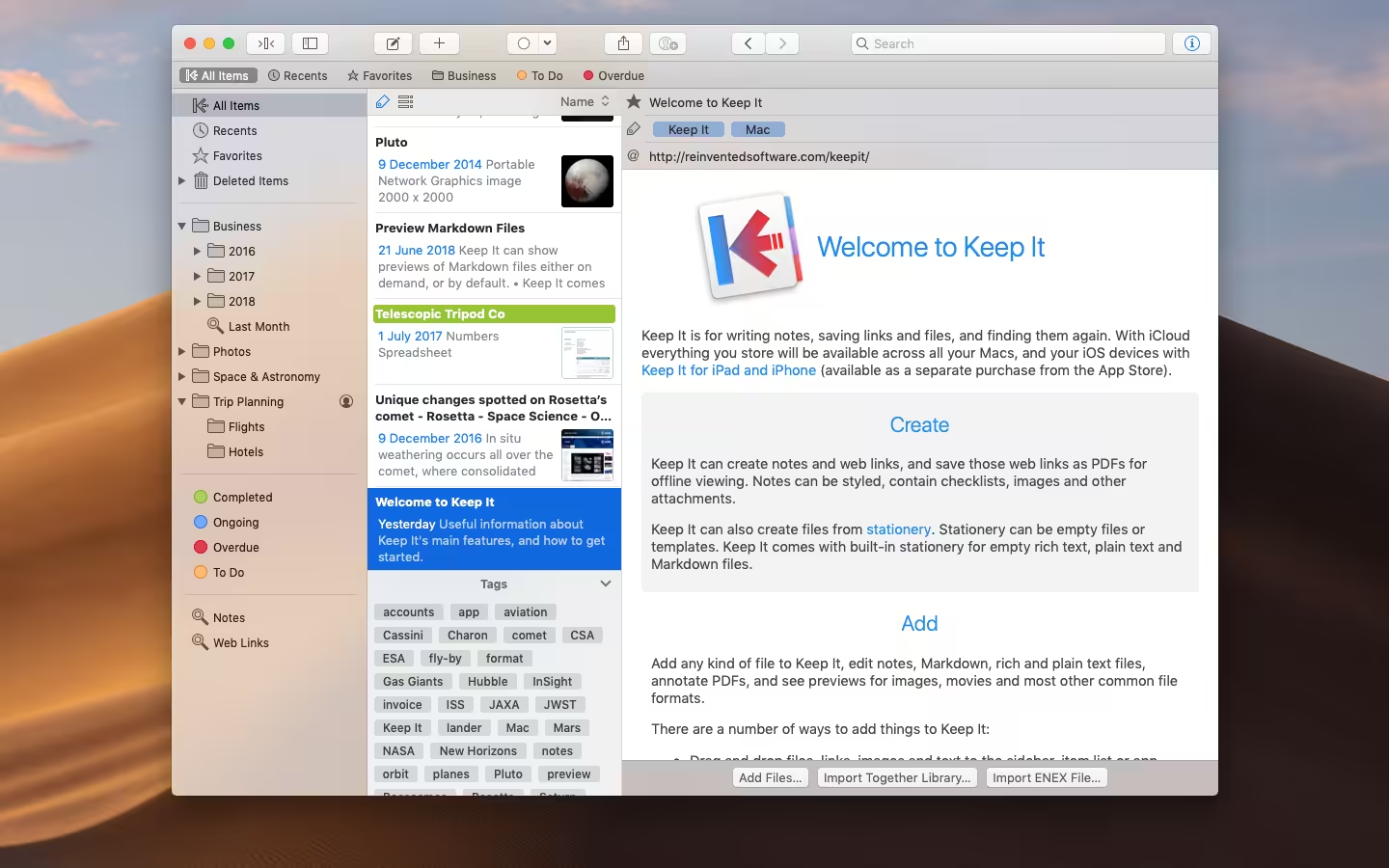
Keep It is for writing notes, saving web links, storing documents, and finding them again. Available on Mac and as a separate app for iPhone and iPad, changes are automatically made available to all your devices with iCloud. Keep It is the destination for all those things you want to put somewhere, confident you will find them again later.
- Features
- Screenshots
- Whats new?
- Notes with styles, checklists, and attachments that look good and read well on all your devices
- Weblinks with live previews, or saved for offline viewing as PDFs or web archives
- Rich and plain text files
- Markdown documents, with preview and syntax highlighting in a choice of styles
- Add highlights and notes to PDF documents
- Add any other kind of file, and see previews for most images, documents, web pages, and more
- See summaries and thumbnails in the list for most files
- Use icon view to browse items by their thumbnails
- Use the Recents list to see things you’ve added or viewed lately
- Share folders and items with other Keep It, users, via iCloud
- Encrypt files with a password
- Fixed an issue extracting info from new and edited items.






“Keep It” is damaged and can’t be opened. You should move it to the Bin.
Tried the instruction below but get xattr: invalid option — / or No such file
to fix error : is damaged and can’t be opened. You should move it to the Trash.
1- open terminal :
xattr -cr + drag app from application folder
example :
xattr -cr /Applications/Keep it.app
2- open terminal :
xattr -d com.apple.quarantine + drag app from application folder
can someone attest if this actually worked for them?
yah. a lot of times you can turn SIP back on after installing, some apps with other injection methods that rely on sip every time like parallels you have to reboot and turn sip on or off as you need it. (you cant use iOS apps from the App Store without sip)
Terminal: xattr -cr /path/to/file.app
“Keep It” is damaged and can’t be opened. You should move it to the Trash.
how can fix this?
you need to turn off SIP
– shutdown mac and go into recover and open terminal type: crstil disable
– and type reboot to open it