


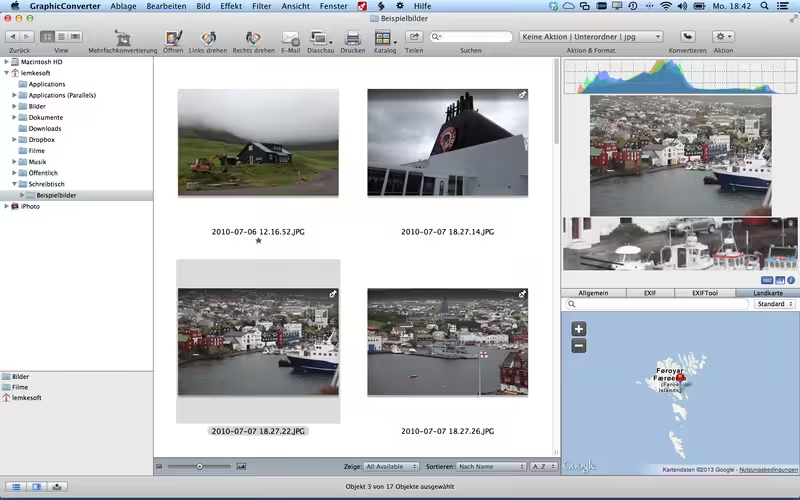
GraphicConverter is an all-purpose image-editing program that can import 200 different graphic-based formats, edit the image, and export it to any of 80 available file formats. The high-end editing tools are perfect for graphic manipulation as well as the ability to use Photoshop-compatible plug-ins. It offers batch-conversion capabilities, a slide-show window, batch rename, batch and individual editing of metadata (EXIF, IPTC, XMP), and so much more.
- Features
- Screenshots
- Whats new?
- Record and Save Macros: If you find yourself using and reusing certain functions repeatedly, you can now save time by easily recording those steps so they can later be applied to other files.
- RAW Images: RAW images are much easier to edit. That’s particularly noticeable when brightening images with the Exposure slider – images remain clear, with no gray haze as with many JPEG images. When opening RAW files, you can control exposure, contrast, and color correction. You can even reduce picture noise with six different controllers.
- Unpack Archives: Want to know what pictures and documents are contained in an archive file? A double-click is all you need: GraphicConverter temporarily reveals its contents (or re-locks those contents for you). Because this is GraphicConverter, we support every archive format under the sun – not just Zip but a dozen others, including TAR and TGZ.
- Wide Equalization: In wide-angle shooting, faces and objects on the left and right edges of the image are often heavily elongated or scrunched. With the new wide-angle equalization function in GraphicConverter 11, you can now reduce this distortion.
- Gradients: Do you need a gradient, like for a background in a collage? No problem. Easily create color gradients with up to 10 colors.
- Duotone: Tint your shots with two colors, turning them into duotone images for an enchanted look. GraphicConverter can tint lighter shades in one color and darker shades in a different color.
- Edit: copy: copy GPS and location data – copies gps and location iptc/xmp
- Iptc/xmp: persons: append
- Iptc/xmp: persons: remove duplicates
- Edit shortcuts
- Batch action: texturized
- File: New: Image from Photoshop Thumbnail (also in image context menu)
- Unskew: option to disable coordinate display





Not working
please password un ZIP