


BetterTouchTool is a great, feature-packed app that allows you to configure many gestures for your Magic Mouse (1 & 2), Macbook Trackpad, and Magic Trackpad (1 & 2), and also Mouse Gestures for normal mice. It also allows you to configure actions for keyboard shortcuts, normal mouse buttons, and the Apple Remote. You can use any of the supported trigger/input types and choose from a large and always-growing list of actions to automate almost any task.
- Features
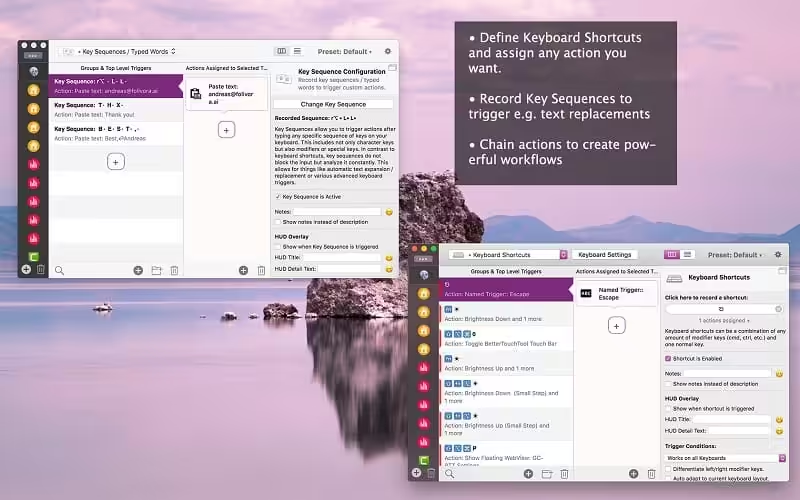
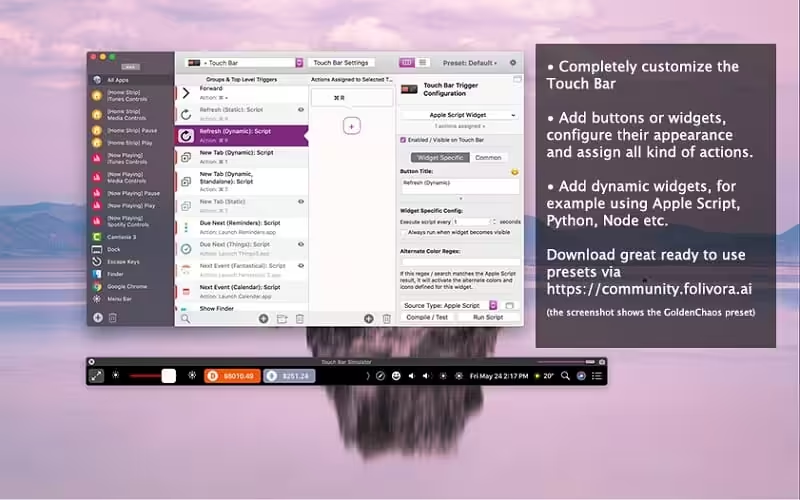
- Screenshots
- Whats new?
Magic Mouse:
• Pinch in / out (zoom)
• single-finger tap left
• single-finger tap right
• single-finger tap middle
• single-finger tap
• single-finger click middle
• two-finger tap
• two-finger click
• two-finger swipe (up/down/left/right)
• two-finger tip tap left/right
• three-finger tap
• three-finger click
• three-finger swipe (up/down/left/right)
• four-finger swipe up/down
• four-finger click
• TipTap left/right
Touchpad:
• single-finger tap top-left
• single-finger tap top-right
• single-finger tap top-middle
• single-finger tap bottom-left
• single-finger tap bottom-right
• single-finger tap bottom-middle
• single-finger tap left-middle
• single-finger tap right-middle
• two-finger tip tap left/right
• three-finger swipes (up/down/left/right)
• three-finger tap
• three-finger click
• four-finger swipes (up/down/left/right)
• four-finger tap
• five-finger tap
• five-finger swipe up/down/left/right (see FAQ)
• TipTap
• two-finger TipTap
• three-finger TipTap
- Fixes an issue that caused some trial periods to end too early.
- BTT now remembers its menubar icon position correctly.





Any cracks for V6+ about?
It keeps telling me to give it Accessibility API Permissions on macOS 26 Tahoe beta 5. Yes, I did disable and enable the permissions for it, and I did restart my Mac multiple times. Is there any new version available that might fix this?
PROPER INSTALLATION
1. Copy the BTT app from dmg to applications
2. Download Lulu – firewall (Free-Opensource)
3. After Downloading Lulu , Open lulu from menubar (shield icon) and make sure its enabled
4. And Go to —>Rules—>Show…—>Add Rule (On Bottom Right)
5. Choose BTT from Application folder and toggle “Block” and click “Add”
6. Now BTT is blocked from accessing the internet
7. now launch BTT and go to the trial (by clicking the days left , shown in menu bar of BTT)
8. And choose the K’d license file from the dmg mounted
9. ITS NOW ACTIVATED AND READY TO USE
HOPE THIS HELPS 🙂
Note : Lulu should be always opened to restrict BTT to access the net . If Lulu is disabled when opening BTT again , It’ll again go to trial mode and to make it work again u have to repeat the Installation from the start . SO MAKE SURE LULU IS ALWAYS ENABLED
Where do you find the license file? Sorry I’m new to this
Can’t find that either
The license file is in the dmg file. You can find it on top of the arrow button.
I think BTT developers team is connecting to internet even if we uncheck all options in Settings –> General. we have to use external N/w blocking apps like LuLu for sure to get BTT working in future i guess. See below how BTT developer team connects and validates your license even if you disable automatic updating. info in BTT –> Settings –> General.
Enable automatic update checking – Even if disabled, BTT will regulary check for security relevant updates!
Thanks to Sam, applied yourse suggestion to use LuLu to block connection to BTT and everything works Fine. Previously i was using BetterTouchTool – v4.6 and Some how BetterTouch tool developers were able to identify i am using patch and App started showing a pop up saying your trial has expired, quit BTT & close. I was so worried. So I have upgraded to BetterTouchTool – v5_155 by downloading from this site. IT was successfull but after few minutes it again started showing pop up that your trial has expired. Now i did read Sam’s comment and reinstalled v5_155 by completely removing it and then used LuLu free app to block all connections to BTT and now it’s working fine without any issues. Thanks my friend Sam.
This Version is cracked AND works fine, thank you. Block all outgoing connections for BetterTouchTool with LittleSnitch (for free version use LuLu for mac)
Yes, this is a shit.. only is the trial.. what do you put this? I think all content are cracked o full
“your trial has expired”
Just wondering the latest update available anytime? It seems pop up a message sated that need to update to continue using it. Thank you
worked on m1 mac, thanks!