


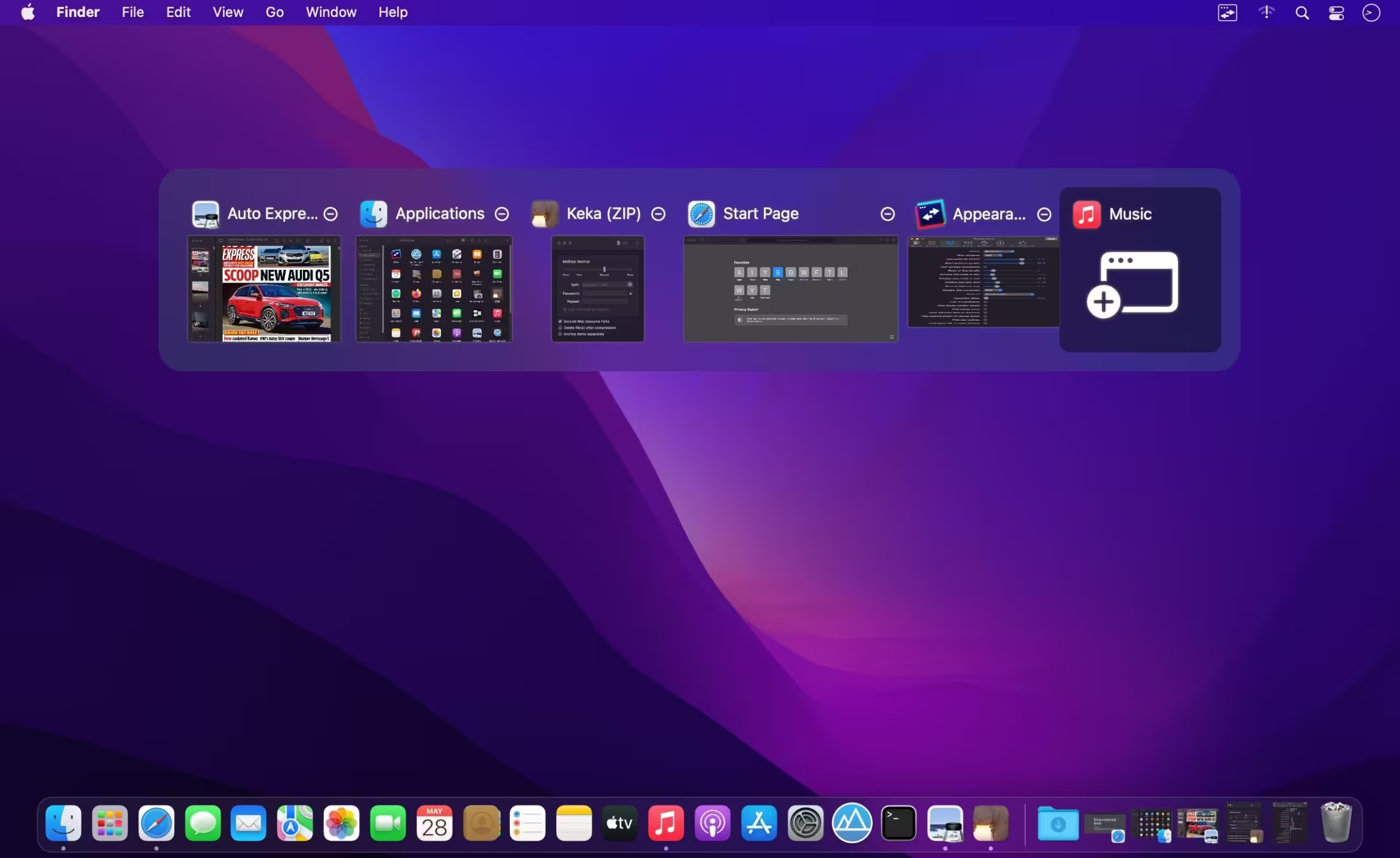
AltTab Pro is the ultimate window management and task-switching utility engineered specifically for macOS to bring the power and efficiency of Windows-style task switching directly to Apple hardware. While macOS features Mission Control and native Command+Tab switching, it falls short by grouping windows of the same application together under a single generic icon. AltTab Pro shatters this restriction by displaying independent, high-resolution visual previews for every single open window, drastically speeding up your daily workflow.
- Features
- Screenshots
- Whats new?
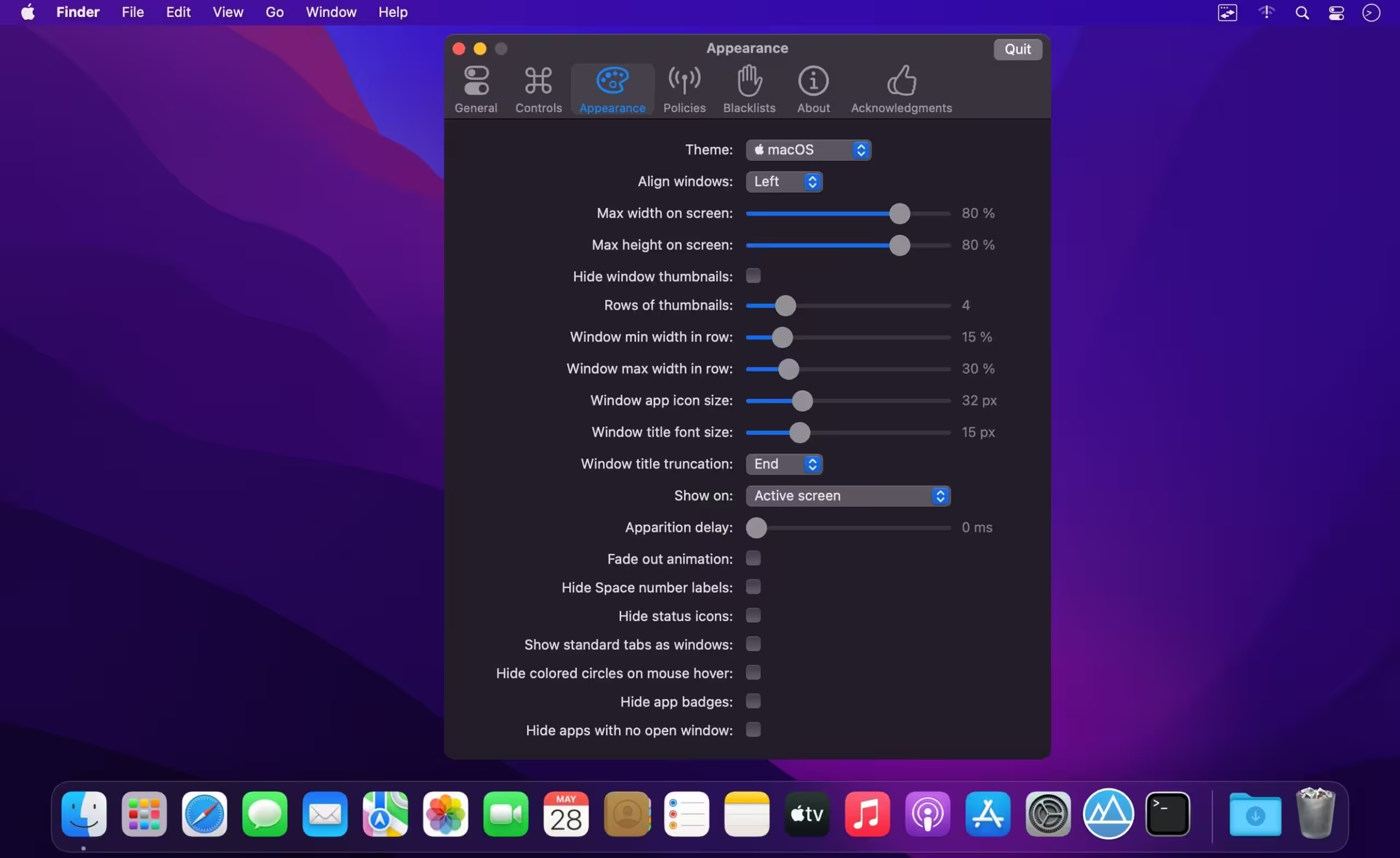
- Dark Mode: AltTab follows your macOS appearance automatically. Light or dark, the switcher always looks native and polished.
- Preview Selected Window on Top: Hover over a thumbnail to see the window at full size above everything else. No guesswork needed.
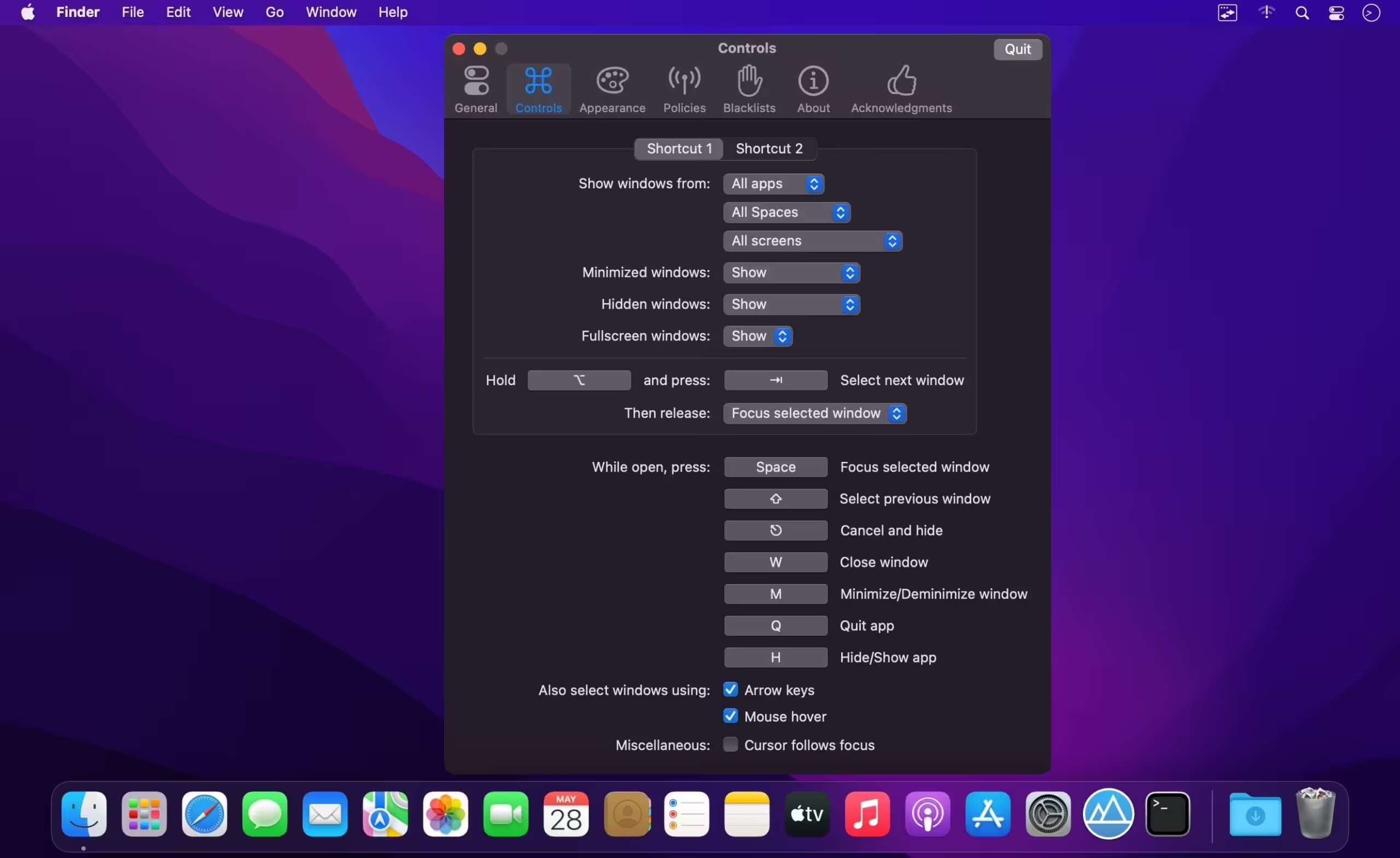
- Instant-release or Keep Open: Choose how AltTab behaves: release the shortcut key to switch instantly, or keep the panel open to browse windows at your own pace. Different shortcuts can have different behaviors.
- Status Badges & Traffic Icons: See at a glance which windows are minimized, hidden, or on another Space. Familiar traffic-light icons let you close, minimize, or fullscreen windows directly from the switcher.
- Custom Shortcut with Any Key: Configure shortcuts using virtually any key combination — modifier keys, function keys, and more. Each shortcut can filter windows by app, Space, or screen. With Pro, set up to 9 independent shortcuts, each with its own trigger and filter rules.
- Trackpad Gestures: Trigger AltTab with trackpad gestures for a keyboard-free experience. Navigate through windows by swiping, making window switching as fluid as switching between Spaces.
- Exceptions to Hide Certain Windows: Running virtual machines, remote desktops, or apps with many sub-windows? Add exceptions to hide specific apps or window types from the switcher. Keep your window list clean and focused on what matters.
- Accessibility: AltTab is fully compatible with VoiceOver, sticky keys, and reduced transparency settings. Every element is properly labeled for screen readers, making window switching accessible to everyone.
- Compatibility: Whether you’re on a 10-year-old MacBook or the latest Mac, AltTab just works. We support every macOS version from 10.13 High Sierra to the newest release, and run natively on both Intel and Apple Silicon.
- Privacy: AltTab respects your privacy. No telemetry, no tracking, no data collection. The app works entirely on your device. Network access is only used for update checks and optional crash reports.
- a closed window may linger in the switcher (7fbba11)
- a window with tabs may be listed twice after opening a tab (4df8ba4)
- alt-tab may do nothing after closing the last window (closes #5960) (98e199d), closes #5941 #5941 #5941 #5968
- an app’s floating overlay may be listed as a window (#5565) (01a5218)
- an unresponsive app may slow down the switcher (#5803) (61978a8)
- clicking a notification could scramble the order (closes #5974) (e72e8be)
- first alt-tab after a pause selects the wrong window (closes #5977) (3355d46)
- invisible windows may be listed in the switcher (#6002) (57edf07)
- powerpoint slide show was missing from the switcher (closes #5983) (609872b)
- quitting may re-ask for screen recording permission (closes #5922) (79cb555)
- rare crash when cycling the switcher as a window closes (2d38314)
- rare crash when displays are reconfigured (85cc811)
- rare crash when quitting the app (807f6ef)





doesnt work, it doesn’t recognize allowed permissions and still requires permission even they are enabled, iOS 27b3